I have used RPA web automation to get the days exchange rates for five currencies. This is a quick example of what is possible. A lot more can be done with this and it’s so simple to use.
All my RPA scripts can be found in my Github
The process of the script is;
1. Open chrome and go to https://www.x-rates.com/table/?from=USD&amount=1
2. Pick out the currencies; Euro, GBP, AUD, CAD and Yen in the table#
3. Print out those rates in the console
4. Close Chrome
5. Add the currencies to a dictionary and list
6. Write that list to a CSV file
Script
import rpa as r
import os
import csv

basedir = os.path.abspath(os.path.dirname(__file__))

def write_csv(write_file, data_list):

    # Output
    with open(write_file, "w", newline="") as f:
        csv_writer = csv.DictWriter(f, data_list[0].keys())
        csv_writer.writeheader()
        csv_writer.writerows(data_list)
    print("CSV written out")


r.init(True, True)
r.url('https://www.x-rates.com/table/?from=USD&amount=1')
r.wait(2.5)
euro = r.read('//*[@id="content"]/div[1]/div/div[1]/div[1]/table[2]/tbody/tr[17]/td[2]/a')
gbp = r.read('//*[@id="content"]/div[1]/div/div[1]/div[1]/table[1]/tbody/tr[2]/td[2]/a')
aud = r.read('//*[@id="content"]/div[1]/div/div[1]/div[1]/table[1]/tbody/tr[4]/td[2]/a')
cad = r.read('//*[@id="content"]/div[1]/div/div[1]/div[1]/table[1]/tbody/tr[5]/td[2]/a')
yen = r.read('//*[@id="content"]/div[1]/div/div[1]/div[1]/table[1]/tbody/tr[9]/td[2]/a')

print(f"\n1 USD buys: {euro} Euro")
print(f"1 USD buys: {gbp} GBP")
print(f"1 USD buys: {aud} AUD")
print(f"1 USD buys: {cad} CAD")
print(f"1 USD buys: {yen} YEN\n")
r.wait(1)
r.close()

forex_list = []
forex_dict = {"Euro":euro,
            "GBP":gbp,
            "AUD":aud,
            "CAD":cad,
            "Yen":yen
            }
forex_list.append(forex_dict)


# Write Output
write_file = f"{basedir}/forex.csv"
write_csv(write_file,forex_list)
Script Output Console
1 USD buys: 1.020248 Euro
1 USD buys: 0.892653 GBP
1 USD buys: 1.556548 AUD
1 USD buys: 1.370627 CAD
1 USD buys: 144.900664 YEN

CSV written out
Script Output CSV
Euro,GBP,AUD,CAD,Yen
1.020248,0.892653,1.556548,1.370627,144.900664
Extra Info
What I haven’t talked about yet is how I have made the script get the currencies I want. If we look at the web page we see a lot of currencies. How does RPA know which ones are which?
The answer is that the script is told what to read using Xpaths.
Useful link for identifying elements
https://www.linkedin.com/posts/kensoh_xpath-rpa-tagui-activity-6829673864633704448-Iw-D/
https://github.com/tebelorg/RPA-Python#element-identifiers
euro = r.read('//*[@id="content"]/div[1]/div/div[1]/div[1]/table[2]/tbody/tr[17]/td[2]/a')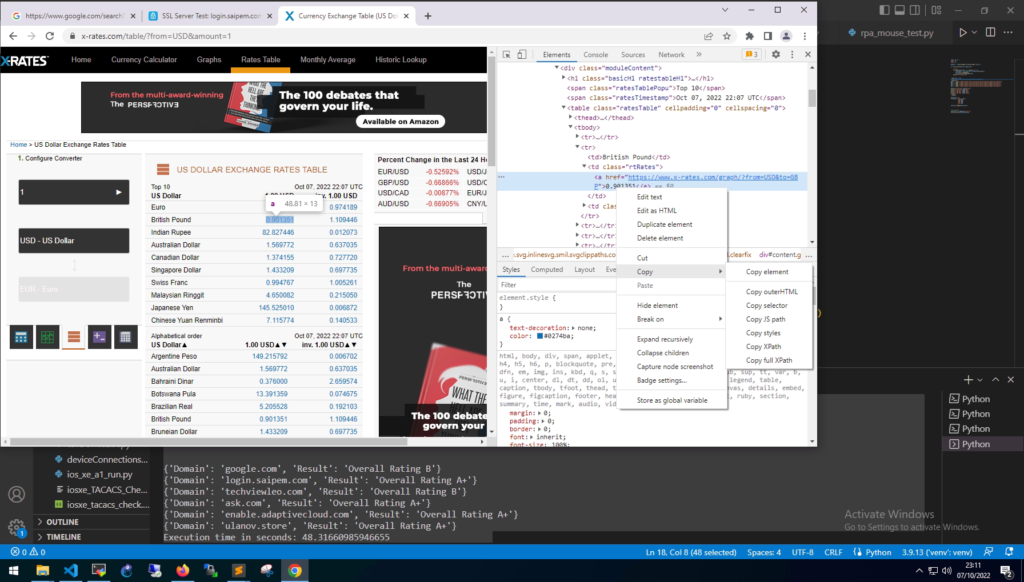
Othe rexamples of Xpaths are;
Google Search Box. This is searching the page for the name of “q”. And on the Google page this name is the search box.
//*[@name="q"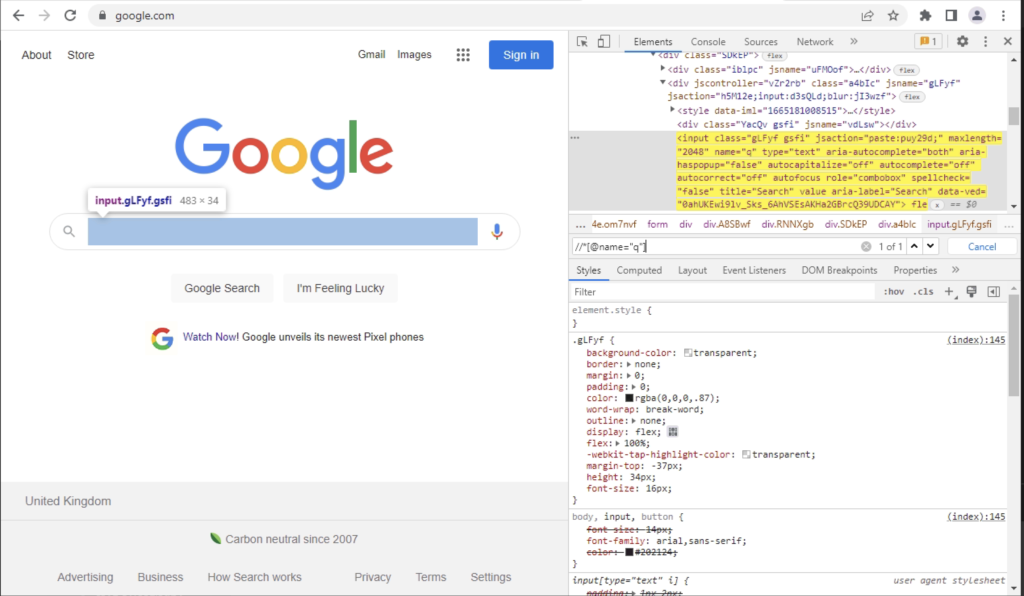
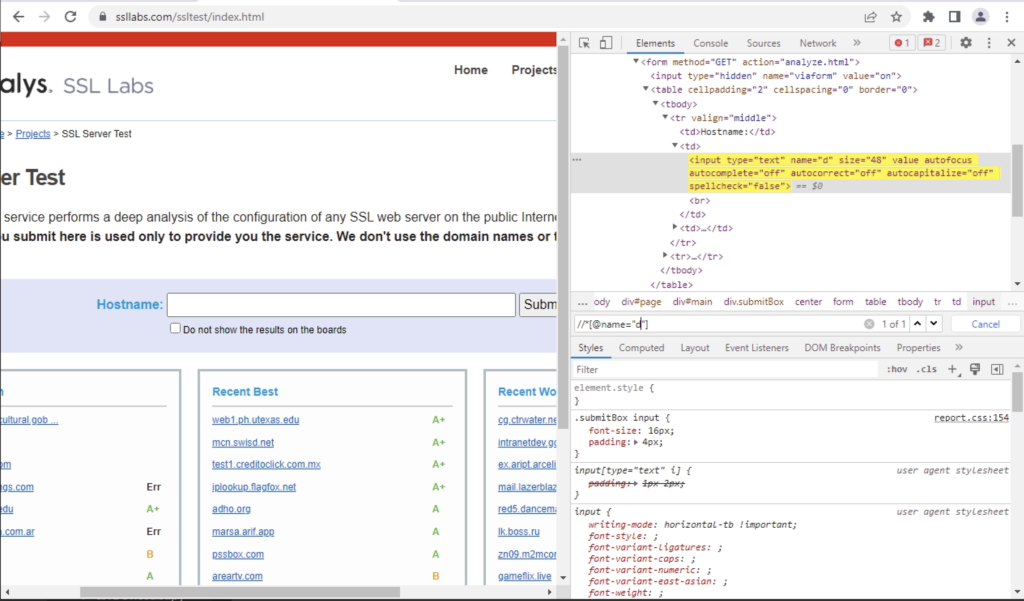
Another example is the search on SSL Labs. This is the exact same as Google, but this search bar is called “d”.
//*[@name="d"