
This is the first time I have managed to make this work in a GNS3 environment in several years of working with ISE I think it is down to the updated switch image. All the steps and config will be detailed from the switch to ISE.
To see the configuration, go here
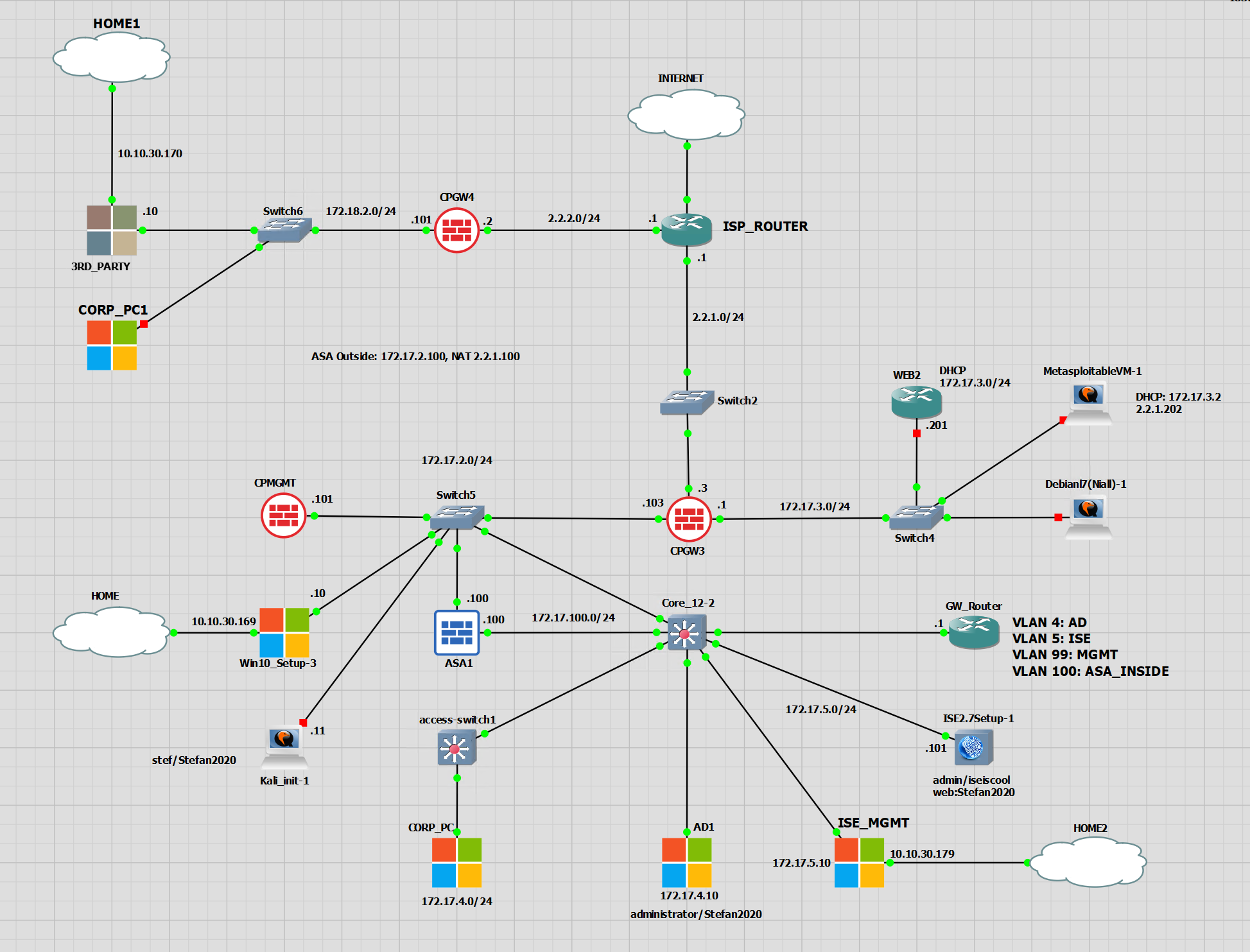
– The device that is authenticating to the network is CORP_PC (172.17.4.11)
– CORP_PC is connected to eth0/1 on access-switch1
– access-switch1 is configured in ISE as a network access device using IP 172.17.99.11
– access-switch1 version: 15.2
– access-switch1 image: vios_l2-adventerprisek9-m.ssa.high_iron_20200929.qcow2
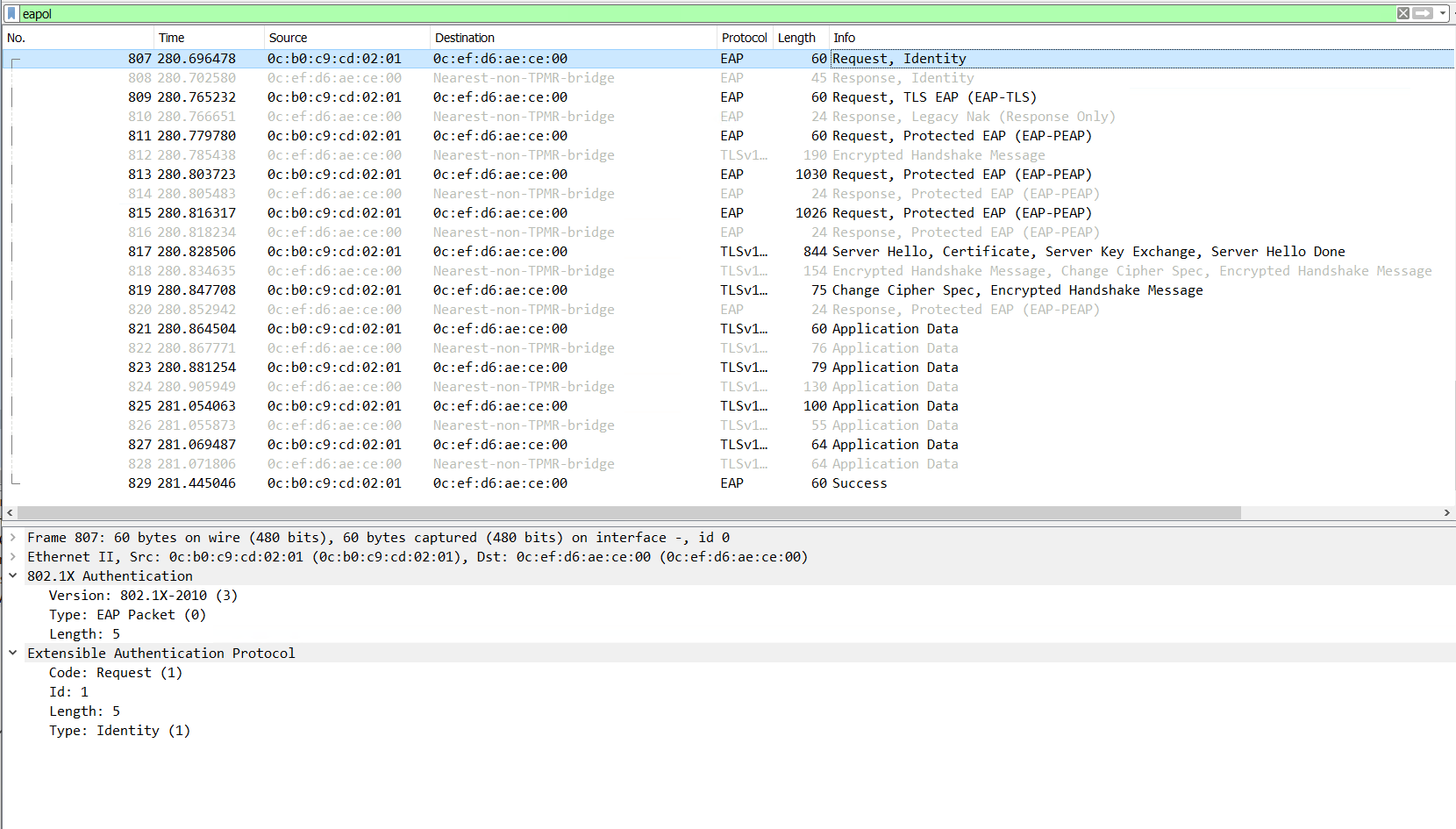
EAP Messages
The EAP messages are the first part. Without EAP the authentication cannot take place. EAP is initiated from the switch, it asks the client for the authentication method. In this example, a username/password.
The client is also able to initiate the EAP process with an EAPOL Start message sent to the switch. This did not happen in my example, the switch initiated EAP.
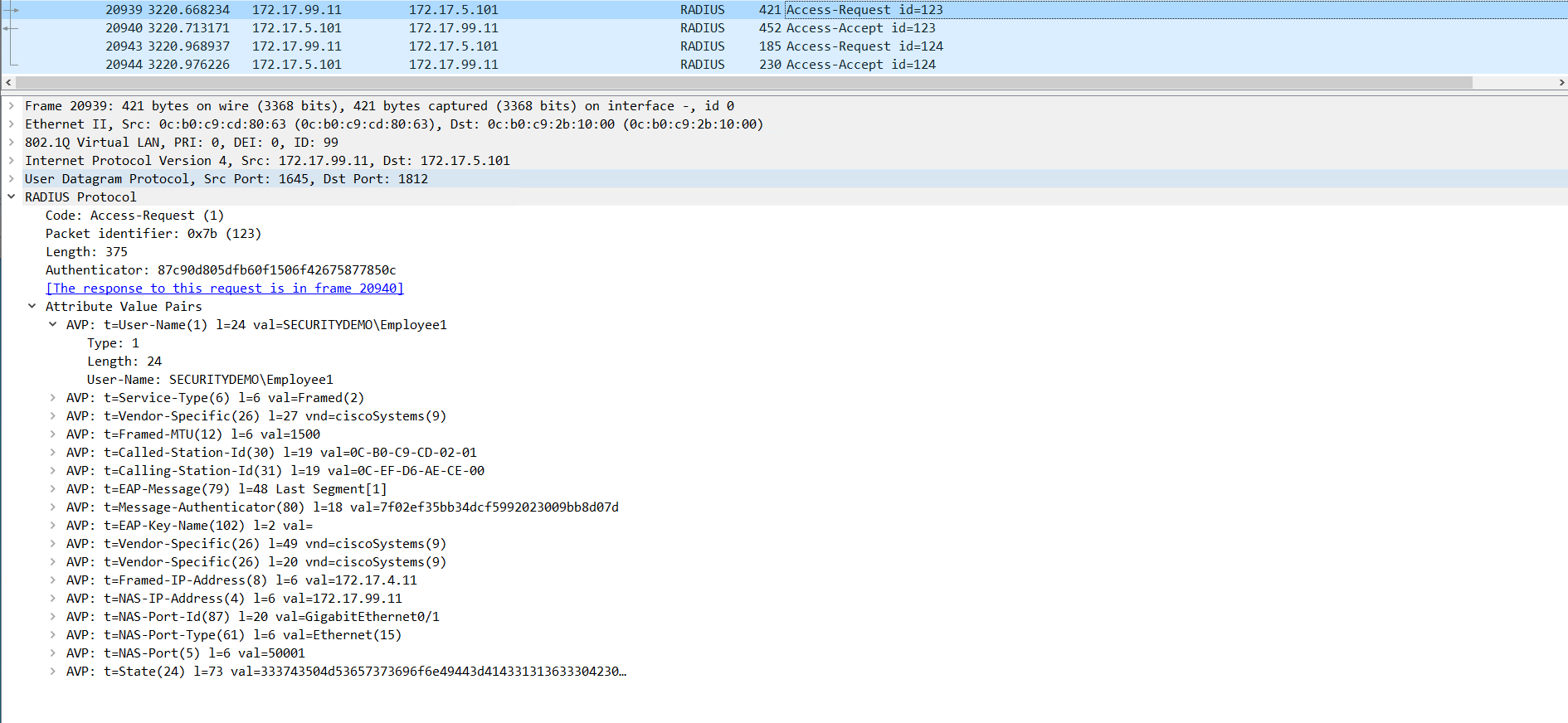
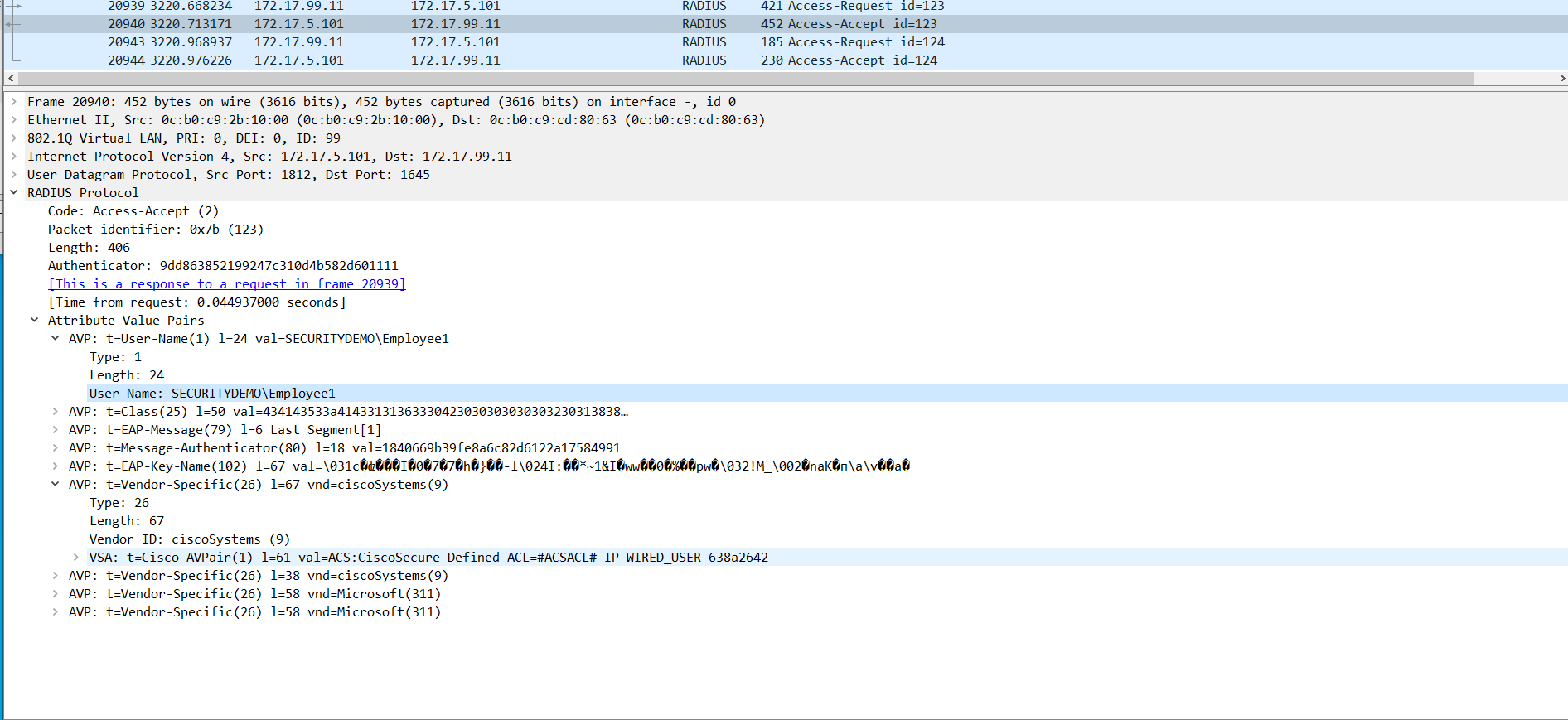
Switch to ISE RADIUS Exchange
Below are screenshots of the RADIUS exchange between the switch and the ISE server.
The switch is requesting the authentication on behalf of the user with the username SECURITYDEMO\Employee1.
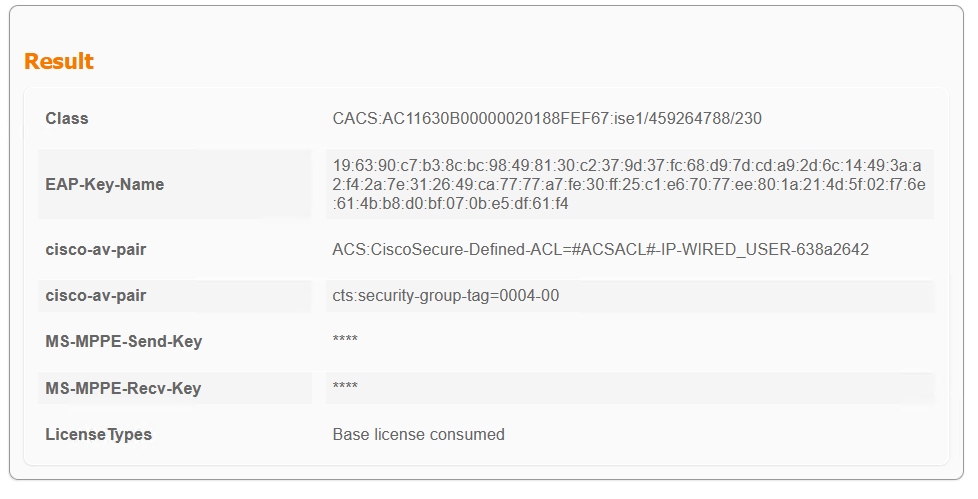
ISE responds with the ACL for this user as configured in the the ISE policy set.
EAP Completed – Switch Session
Now that the EAP process has been completed, the switch has the session information.
*Dec  7 14:40:27.850: %EPM-6-POLICY_REQ: IP 172.17.4.11| MAC 0cef.d6ae.ce00| AuditSessionID AC11630B00000020188FEF67| EVENT APPLY
*Dec  7 14:40:28.039: %EPM-6-AAA: POLICY xACSACLx-IP-WIRED_USER-638a2642| EVENT DOWNLOAD_REQUEST
*Dec  7 14:40:28.051: %EPM-6-AAA: POLICY xACSACLx-IP-WIRED_USER-638a2642| EVENT DOWNLOAD-SUCCESS
*Dec  7 14:40:28.105: %EPM-6-POLICY_APP_SUCCESS: Policy Application succeded for Client [172.17.4.11] MAC [0cef.d6ae.ce00] AuditSession ID [AC11630B00000020188FEF67] for POLICY_TYPE [Named Acl] POLICY_NAME [xACSACLx-IP-WIRED_USER-638a2642]
access-switch1#sh access-session inter gi0/1 details
            Interface:  GigabitEthernet0/1
          MAC Address:  0cef.d6ae.ce00
         IPv6 Address:  Unknown
         IPv4 Address:  172.17.4.11
            User-Name:  SECURITYDEMO\Employee1
               Status:  Authorized
               Domain:  DATA
       Oper host mode:  multi-auth
     Oper control dir:  both
      Session timeout:  N/A
      Restart timeout:  N/A
Periodic Acct timeout:  900s (local), Remaining: 679s
       Session Uptime:  220s
    Common Session ID:  AC11630B00000020188FEF67
      Acct Session ID:  0x00000010
               Handle:  0xA800000E
       Current Policy:  DOT1X-DEFAULT

Server Policies:
      Security Policy:  None
      Security Status:  Link Unsecure
              ACS ACL:  xACSACLx-IP-WIRED_USER-638a2642
            SGT Value:  4


Method status list:
      Method            State

      dot1x              Authc Success
      mab                Stopped
ISE Session Info
ISE contains all of the session information with each step that has been applied to the client.
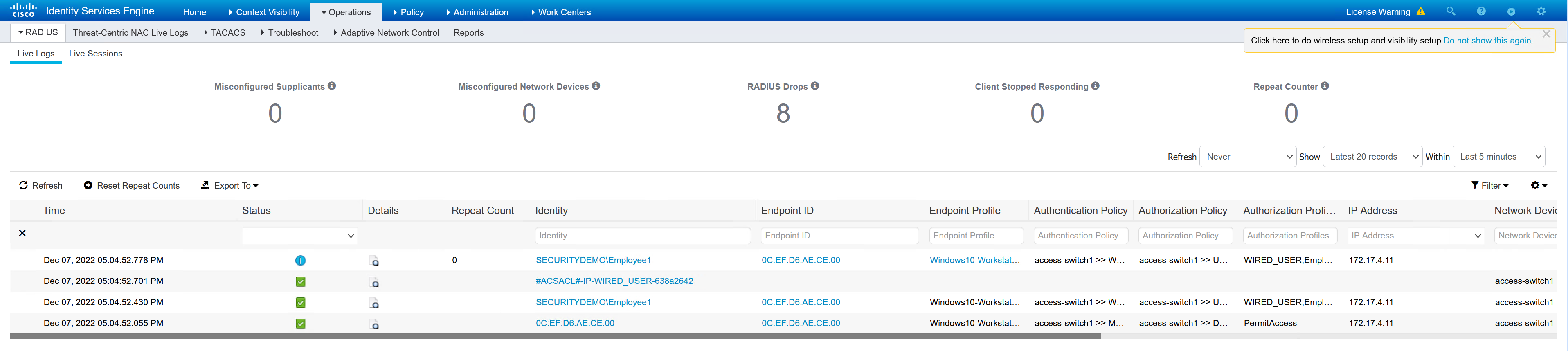
ISE goes through multiple steps to determine the authentication and authorisation of the client.
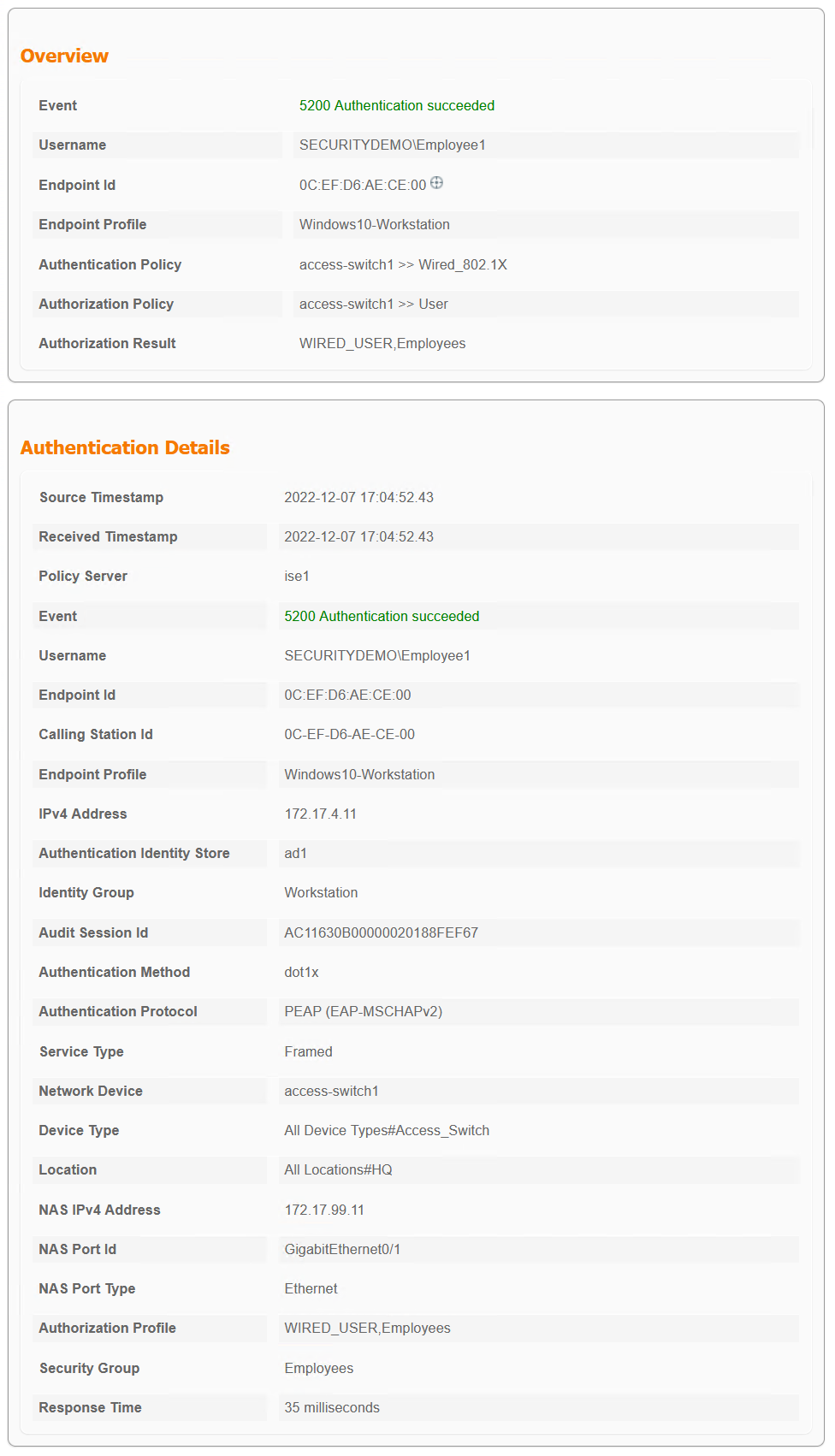
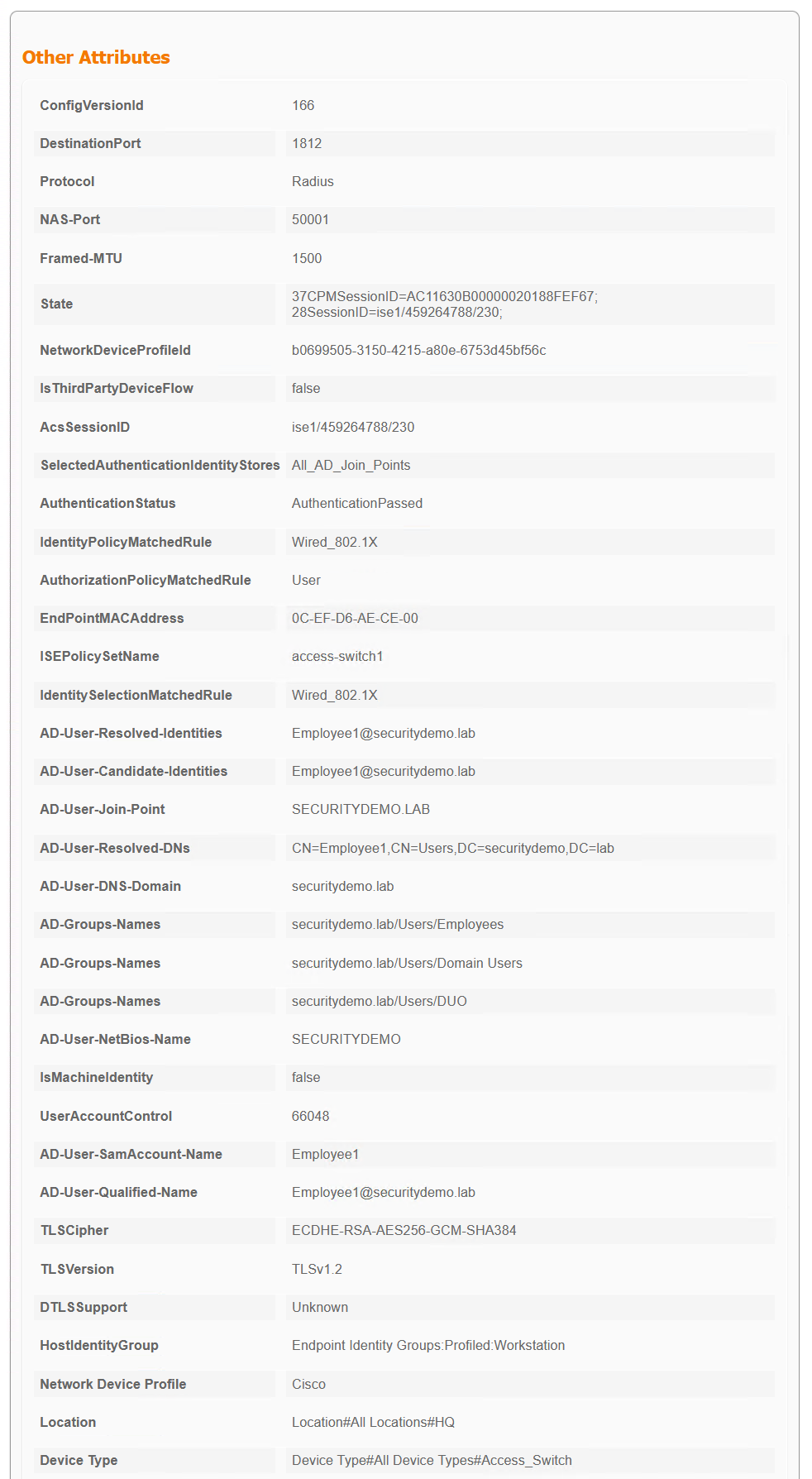
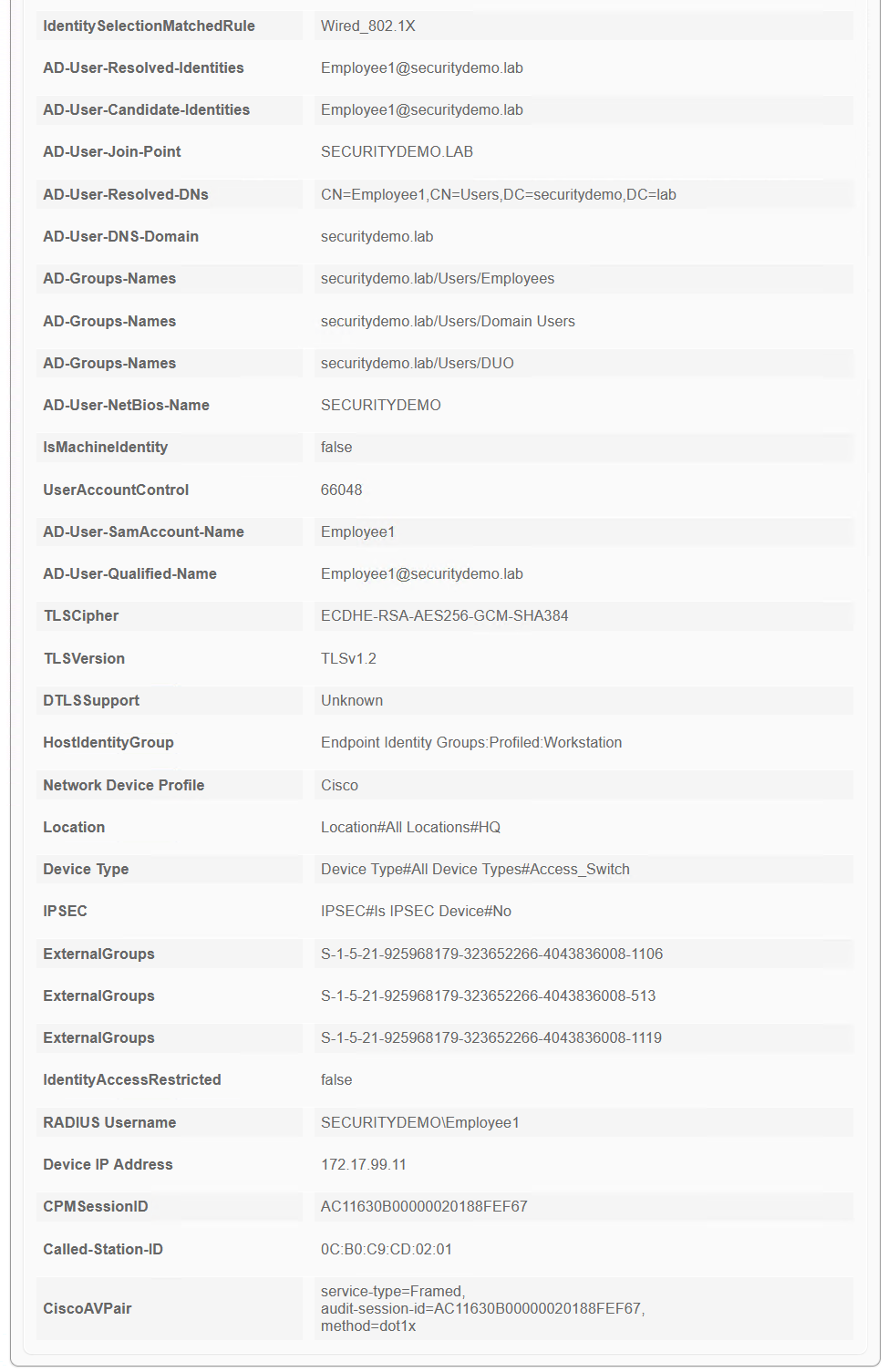
Steps
  	11001 	Received RADIUS Access-Request
  	11017 	RADIUS created a new session
  	15049 	Evaluating Policy Group
  	15008 	Evaluating Service Selection Policy
  	11507 	Extracted EAP-Response/Identity
  	12500 	Prepared EAP-Request proposing EAP-TLS with challenge
  	12625 	Valid EAP-Key-Name attribute received
  	11006 	Returned RADIUS Access-Challenge
  	11001 	Received RADIUS Access-Request
  	11018 	RADIUS is re-using an existing session
  	12301 	Extracted EAP-Response/NAK requesting to use PEAP instead
  	12300 	Prepared EAP-Request proposing PEAP with challenge
  	12625 	Valid EAP-Key-Name attribute received
  	11006 	Returned RADIUS Access-Challenge
  	11001 	Received RADIUS Access-Request
  	11018 	RADIUS is re-using an existing session
  	12302 	Extracted EAP-Response containing PEAP challenge-response and accepting PEAP as negotiated
  	12318 	Successfully negotiated PEAP version 0
  	12800 	Extracted first TLS record; TLS handshake started
  	12805 	Extracted TLS ClientHello message
  	12806 	Prepared TLS ServerHello message
  	12807 	Prepared TLS Certificate message
  	12808 	Prepared TLS ServerKeyExchange message
  	12810 	Prepared TLS ServerDone message
  	12811 	Extracted TLS Certificate message containing client certificate
  	12305 	Prepared EAP-Request with another PEAP challenge
  	11006 	Returned RADIUS Access-Challenge
  	11001 	Received RADIUS Access-Request
  	11018 	RADIUS is re-using an existing session
  	12304 	Extracted EAP-Response containing PEAP challenge-response
  	12305 	Prepared EAP-Request with another PEAP challenge
  	11006 	Returned RADIUS Access-Challenge
  	11001 	Received RADIUS Access-Request
  	11018 	RADIUS is re-using an existing session
  	12304 	Extracted EAP-Response containing PEAP challenge-response
  	12305 	Prepared EAP-Request with another PEAP challenge
  	11006 	Returned RADIUS Access-Challenge
  	11001 	Received RADIUS Access-Request
  	11018 	RADIUS is re-using an existing session
  	12304 	Extracted EAP-Response containing PEAP challenge-response
  	12318 	Successfully negotiated PEAP version 0
  	12812 	Extracted TLS ClientKeyExchange message
  	12813 	Extracted TLS CertificateVerify message
  	12804 	Extracted TLS Finished message
  	12801 	Prepared TLS ChangeCipherSpec message
  	12802 	Prepared TLS Finished message
  	12816 	TLS handshake succeeded
  	12310 	PEAP full handshake finished successfully
  	12305 	Prepared EAP-Request with another PEAP challenge
  	11006 	Returned RADIUS Access-Challenge
  	11001 	Received RADIUS Access-Request
  	11018 	RADIUS is re-using an existing session
  	12304 	Extracted EAP-Response containing PEAP challenge-response
  	12313 	PEAP inner method started
  	11521 	Prepared EAP-Request/Identity for inner EAP method
  	12305 	Prepared EAP-Request with another PEAP challenge
  	11006 	Returned RADIUS Access-Challenge
  	11001 	Received RADIUS Access-Request
  	11018 	RADIUS is re-using an existing session
  	12304 	Extracted EAP-Response containing PEAP challenge-response
  	11522 	Extracted EAP-Response/Identity for inner EAP method
  	11806 	Prepared EAP-Request for inner method proposing EAP-MSCHAP with challenge
  	12305 	Prepared EAP-Request with another PEAP challenge
  	11006 	Returned RADIUS Access-Challenge
  	11001 	Received RADIUS Access-Request
  	11018 	RADIUS is re-using an existing session
  	12304 	Extracted EAP-Response containing PEAP challenge-response
  	11808 	Extracted EAP-Response containing EAP-MSCHAP challenge-response for inner method and accepting EAP-MSCHAP as negotiated
  	15041 	Evaluating Identity Policy
  	15013 	Selected Identity Source - All_AD_Join_Points
  	24430 	Authenticating user against Active Directory - All_AD_Join_Points
  	24325 	Resolving identity - SECURITYDEMO\Employee1
  	24313 	Search for matching accounts at join point - securitydemo.lab
  	24315 	Single matching account found in domain - securitydemo.lab
  	24323 	Identity resolution detected single matching account
  	24343 	RPC Logon request succeeded - Employee1@securitydemo.lab
  	24402 	User authentication against Active Directory succeeded - All_AD_Join_Points
  	22037 	Authentication Passed
  	11824 	EAP-MSCHAP authentication attempt passed
  	12305 	Prepared EAP-Request with another PEAP challenge
  	11006 	Returned RADIUS Access-Challenge
  	11001 	Received RADIUS Access-Request
  	11018 	RADIUS is re-using an existing session
  	12304 	Extracted EAP-Response containing PEAP challenge-response
  	11810 	Extracted EAP-Response for inner method containing MSCHAP challenge-response
  	11814 	Inner EAP-MSCHAP authentication succeeded
  	11519 	Prepared EAP-Success for inner EAP method
  	12314 	PEAP inner method finished successfully
  	12305 	Prepared EAP-Request with another PEAP challenge
  	11006 	Returned RADIUS Access-Challenge
  	11001 	Received RADIUS Access-Request
  	11018 	RADIUS is re-using an existing session
  	12304 	Extracted EAP-Response containing PEAP challenge-response
  	24715 	ISE has not confirmed locally previous successful machine authentication for user in Active Directory
  	15036 	Evaluating Authorization Policy
  	24209 	Looking up Endpoint in Internal Endpoints IDStore - SECURITYDEMO\Employee1
  	24211 	Found Endpoint in Internal Endpoints IDStore
  	11055 	User name change detected for the session. Attributes for the session will be removed from the cache
  	24432 	Looking up user in Active Directory - ad1
  	24355 	LDAP fetch succeeded - securitydemo.lab
  	24416 	User's Groups retrieval from Active Directory succeeded - ad1
  	15048 	Queried PIP - ad1.ExternalGroups
  	15016 	Selected Authorization Profile - WIRED_USER,Employees
  	11022 	Added the dACL specified in the Authorization Profile
  	15016 	Selected Authorization Profile - WIRED_USER,Employees
  	22081 	Max sessions policy passed
  	22080 	New accounting session created in Session cache
  	12306 	PEAP authentication succeeded
  	11503 	Prepared EAP-Success
  	11002 	Returned RADIUS Access-Accept
Configuration
The configuration is basic and enough to get what is required for ISE to be able to respond to 802.1x authentication requests.
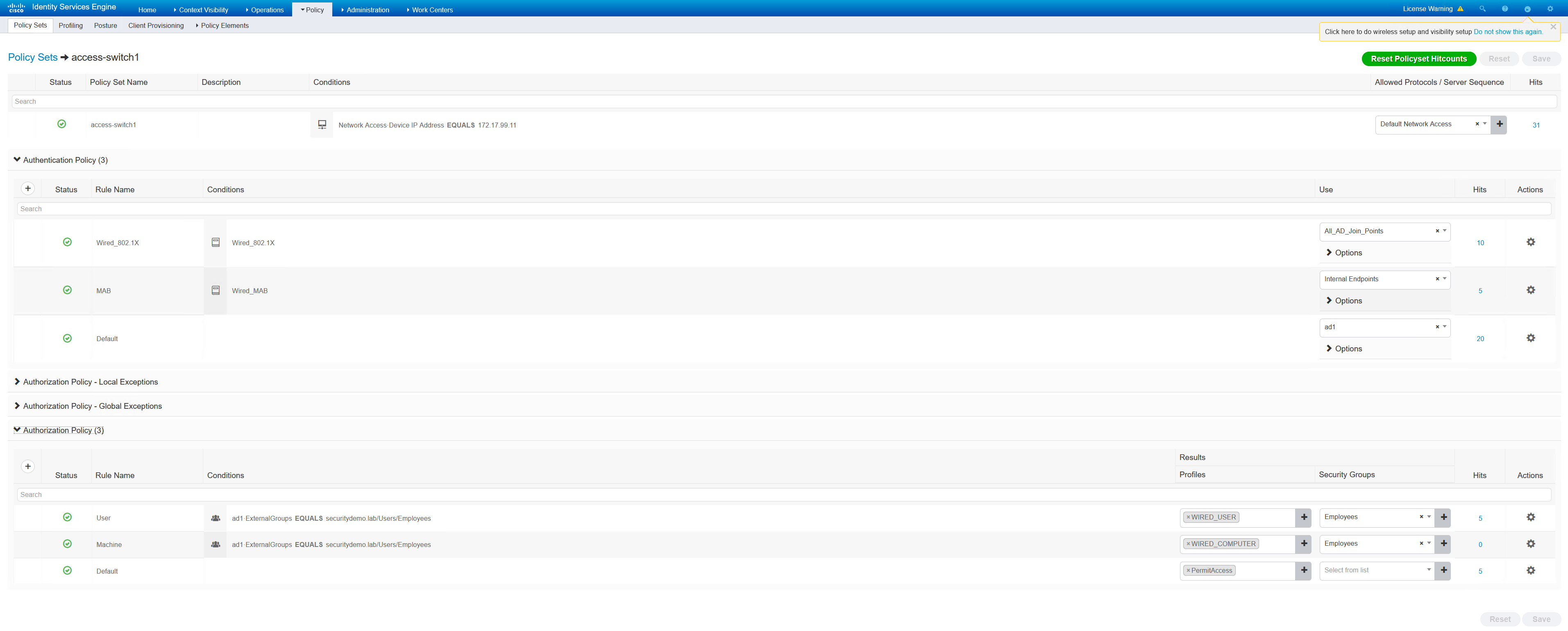
ISE Policy Set Configuration
The ISE policies used in the policy set are quite basic. The conditions for authentication being set to “Wired_802.1x” is very important.
In the authorisation policies, User and Machine are matching on the same condition. Only the profiles are different. Both of the profiles are basic as they are permit IP any any dACLs.
Switch Configuration
There are several parts to the switch config. There is the base config to get it talking to ISE using RADIUS. I have detailed this in a previous post.
What will be explained in this post is the specific config to get dot1x working. This includes the following points;
– Service Policy
– Dot1x global commands
– Interface configuration
The service policy is the most confusing, as Cisco have made changes to how it was originally configured. It was previously configured with a lot of authorisation commands on the interfaces. This did duplicate a lot of lines for each interface, it is now more compact but the syntax and logic needs to be learnt and understood.
Everything is performed from the policy-map. This is what ties the class-maps and access list together. I have configured a basic dot1x policy that will perform the following;
– Try to authenticate with dot1x and MAB
– dot1x is preferred if it is possible
– If there are any frames passed into the switch “restrict” (drop) the traffic
– If there is a supplicant agent found, use 802.1x
– If there is a failure, are the AAA servers down, if so apply ACL to permit ip any any
– If there is a failure in dot1x, terminate that process and use MAB
ip access-list extended PERMIT-ANY
 permit ip any any

service-template CRITICAL
 description Apply When none of the RADIUS servers are reachable
 access-group PERMIT-ANY

class-map type control subscriber match-any AAA-DOWN
 match result-type aaa-timeout
class-map type control subscriber match-all DOT1X-FAILED
 match method dot1x
 match result-type method dot1x authoritative

policy-map type control subscriber DOT1X-DEFAULT
 event session-started match-all
  10 class always do-all
   10 authenticate using dot1x priority 10
   20 authenticate using mab priority 20
 event violation match-all
  10 class always do-all
   10 restrict
 event agent-found match-all
  10 class always do-all
   10 authenticate using dot1x
 event authentication-failure match-all
  10 class AAA-DOWN do-all
   10 authorize
   20 activate service-template CRITICAL
   30 terminate dot1x
   40 terminate mab
  20 class DOT1X-FAILED do-all
   10 authenticate using mab
Dot1x global commands are required
dot1x system-auth-control
dot1x critical eapol
Finally is the switchport configuration
interface GigabitEthernet0/1
 description DOT1X Enabled Ports
 switchport access vlan 4
 switchport mode access
 ip access-group DEFAULT-ACL in
 negotiation auto
 authentication periodic
 authentication timer reauthenticate server
 access-session port-control auto
 mab
 dot1x pae authenticator
 dot1x timeout tx-period 10
 spanning-tree portfast edge
 service-policy type control subscriber DOT1X-DEFAULT
end