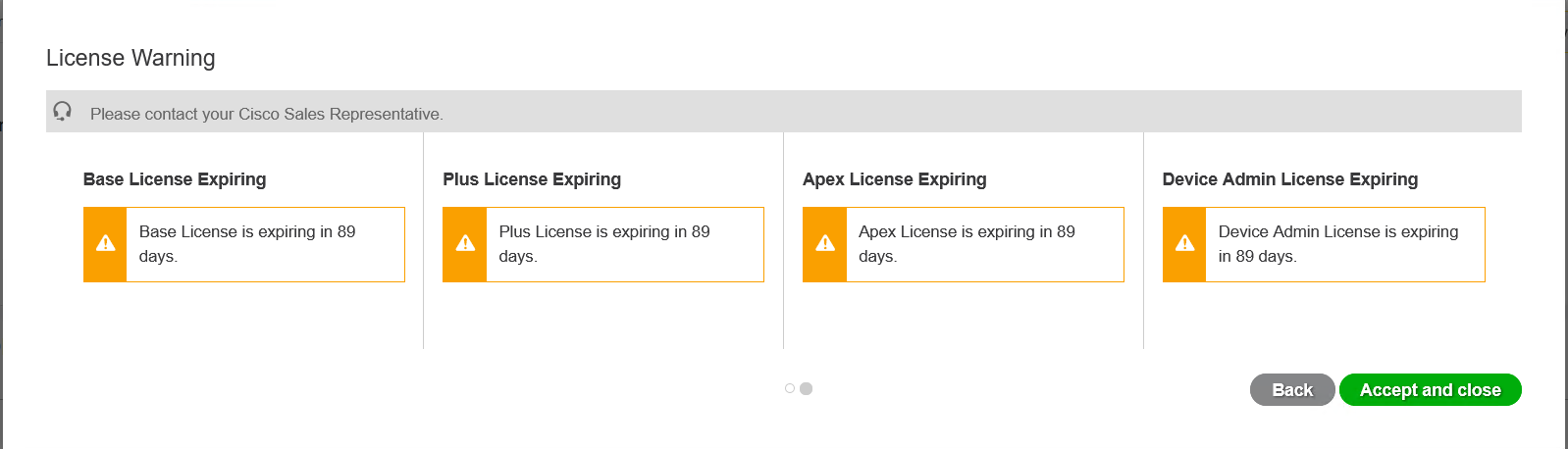
As this is a lab topology, it relies on lab licenses. For ISE this means that there is a 90 day period. The license I have has expired and requires fixing. This is quite simple to perform. All that needs to be done is a config backup taken from the old device and restored to a new device.
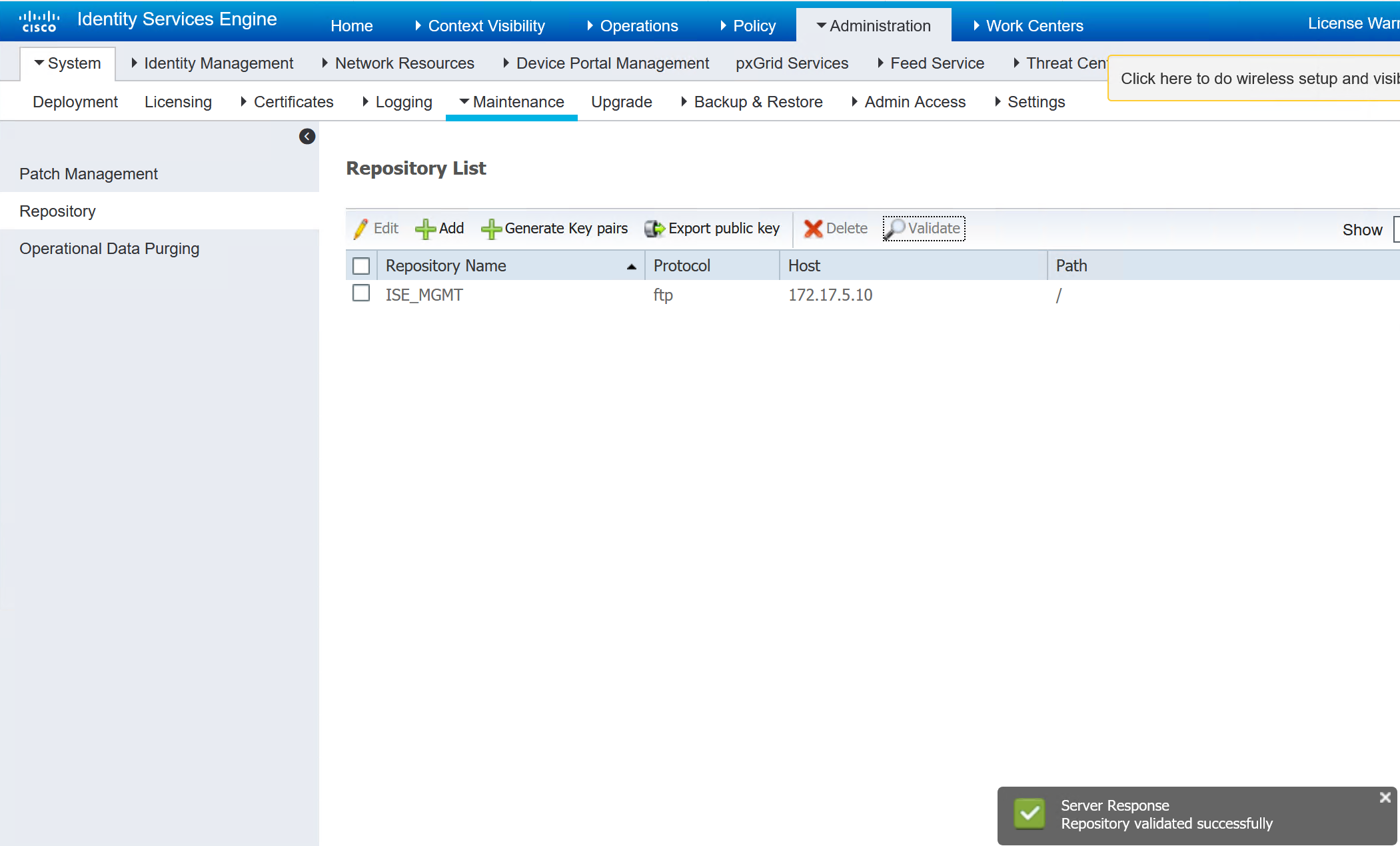
Create FTP Repo
The FTP repo can be created in the GUI or in the CLI. The CLI does warn you when creating that any repo created in the CLI cannot used be in the GUI.
 repository ISE_MGMT
  url ftp://172.17.5.10/
  user admin password hash **********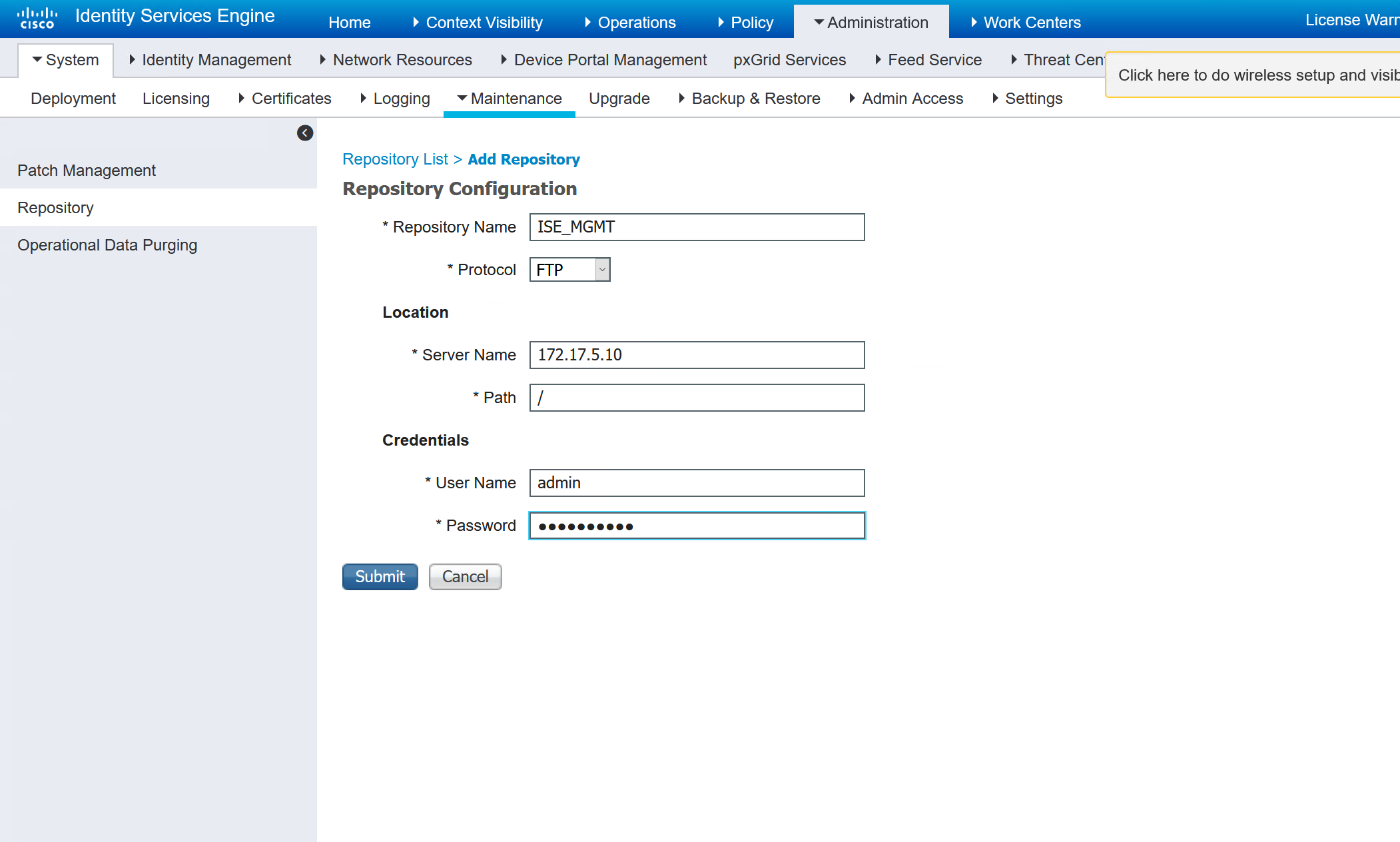
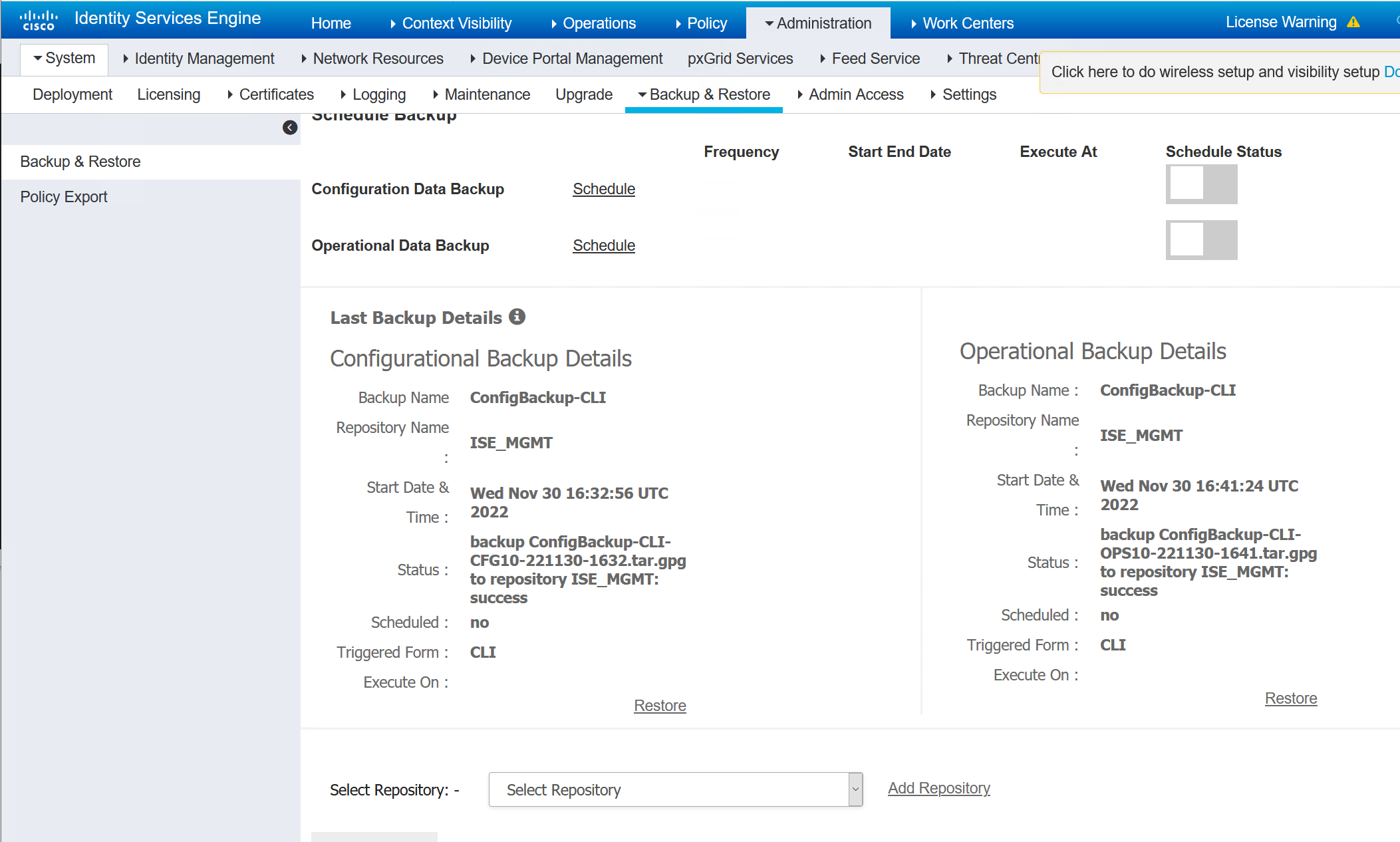
Perform Backup
There are two types of backups, config and operational. The operational is not required for a lab. It is just the data that has already been collected. If this is an upgrade or a real backup, then the operational data should be taken.
backup ConfigBackup-CLI repository ISE_MGMT ise-config encryption-key plain Stefan2020
backup ConfigBackup-CLI repository ISE_MGMT ise-operational encryption-key plain Stefan2020
ISE/admin#
ISE/admin# backup ConfigBackup-CLI repository ISE_MGMT ise-config encryption-key plain Stefan2020
% Internal CA Store is not included in this backup. It is recommended to export it using "application configure ise" CLI command
% Creating backup with timestamped filename: ConfigBackup-CLI-CFG10-221130-1632.tar.gpg
% backup in progress: Starting Backup...10% completed
% backup in progress: Validating ISE Node Role...15% completed
% backup in progress: Backing up ISE Configuration Data...20% completed
% backup in progress: Backing up ISE Indexing Engine Data...45% completed
% backup in progress: Backing up ISE Logs...50% completed
% backup in progress: Completing ISE Backup Staging...55% completed
% backup in progress: Backing up ADEOS configuration...55% completed
% backup in progress: Moving Backup file to the repository...75% completed
% backup in progress: Completing Backup...100% completed
ISE/admin#

ISE/admin# backup ConfigBackup-CLI repository ISE_MGMT ise-operational  encryption-key plain Stefan2020
% Creating backup with timestamped filename: ConfigBackup-CLI-OPS10-221130-1641.tar.gpg
% backup in progress: Starting Backup...10% completed
% backup in progress: starting dbbackup using expdp.......20% completed
% backup in progress: starting cars logic.......50% completed
% backup in progress: Moving Backup file to the repository...75% completed
% backup in progress: Completing Backup...100% completed
ISE/admin#
Gather Running Config
The running config will be needed to paste into my new GNS3 appliance.
ISE/admin# sh run
Generating configuration...
!
hostname ISE
!
ip domain-name securitydemo.lab
!
ipv6 enable
!
interface GigabitEthernet 0
  ip address 172.17.5.101 255.255.255.0
  ipv6 address autoconfig
  ipv6 enable
!
interface GigabitEthernet 1
  shutdown
  ipv6 address autoconfig
  ipv6 enable
!
interface GigabitEthernet 2
  shutdown
  ipv6 address autoconfig
  ipv6 enable
!
interface GigabitEthernet 3
  shutdown
  ipv6 address autoconfig
  ipv6 enable
!
interface GigabitEthernet 4
  shutdown
  ipv6 address autoconfig
  ipv6 enable
!
interface GigabitEthernet 5
  shutdown
  ipv6 address autoconfig
  ipv6 enable
!
ip name-server 172.17.4.10
!
ip default-gateway 172.17.5.1
!
!
clock timezone UTC
!
ntp server 0.pool.ntp.org
ntp server uk.pool.ntp.org
ntp server time.google.com
!
username admin password hash $5$Sa0SB2YA$eQJxBN4z5cvfrAmY3ReHuD4wULghmnw4nwgYAErDaLB role admin
!
max-ssh-sessions 5
!
service sshd enable
service sshd encryption-algorithm aes128-gcm@openssh.com chacha20-poly1305@openssh.com aes256-gcm@openssh.com aes128-ctr aes256-ctr
!
repository ISE_MGMT
  url ftp://172.17.5.10/
  user admin password hash **********
!
password-policy
  lower-case-required
  upper-case-required
  digit-required
  no-username
  no-previous-password
  password-expiration-enabled
  password-expiration-days 45
  password-expiration-warning 30
  min-password-length 4
  password-lock-enabled
  password-lock-timeout 15
  password-lock-retry-count 3
!
logging loglevel 6
!
conn-limit 30 port 9060
conn-limit 5 port 9061
!
cdp timer 60
cdp holdtime 180
cdp run GigabitEthernet 0
!
icmp echo on
Setup New Device
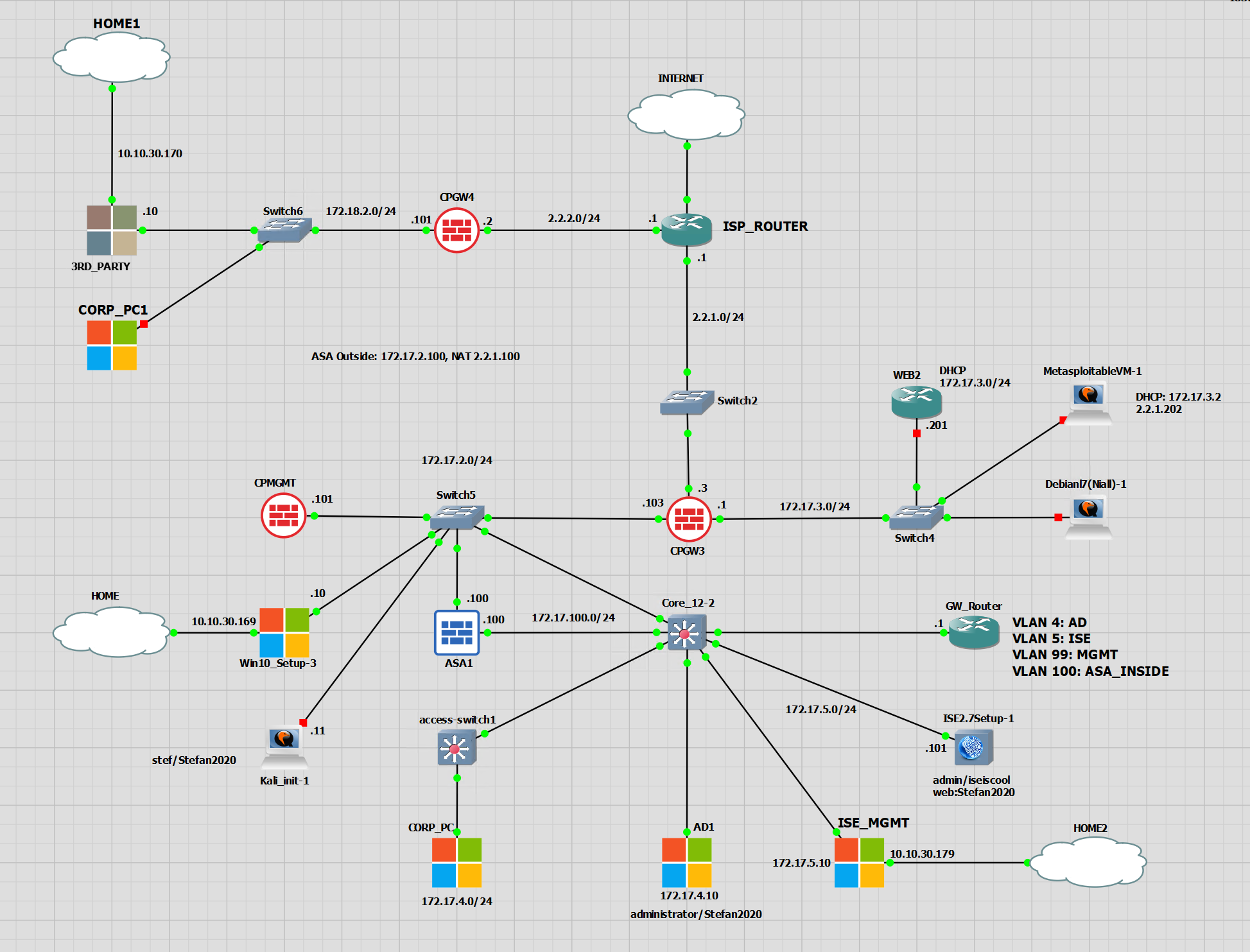
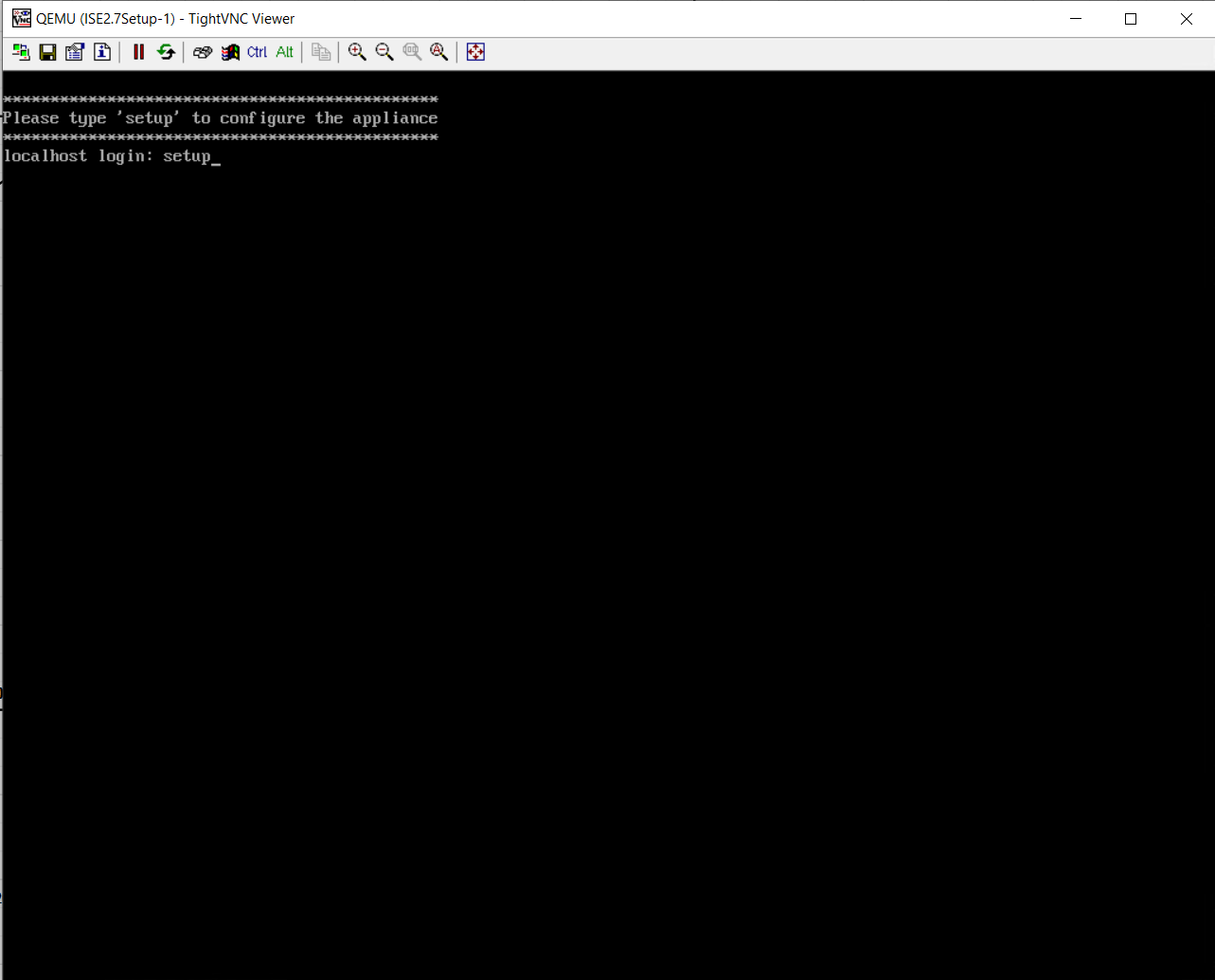
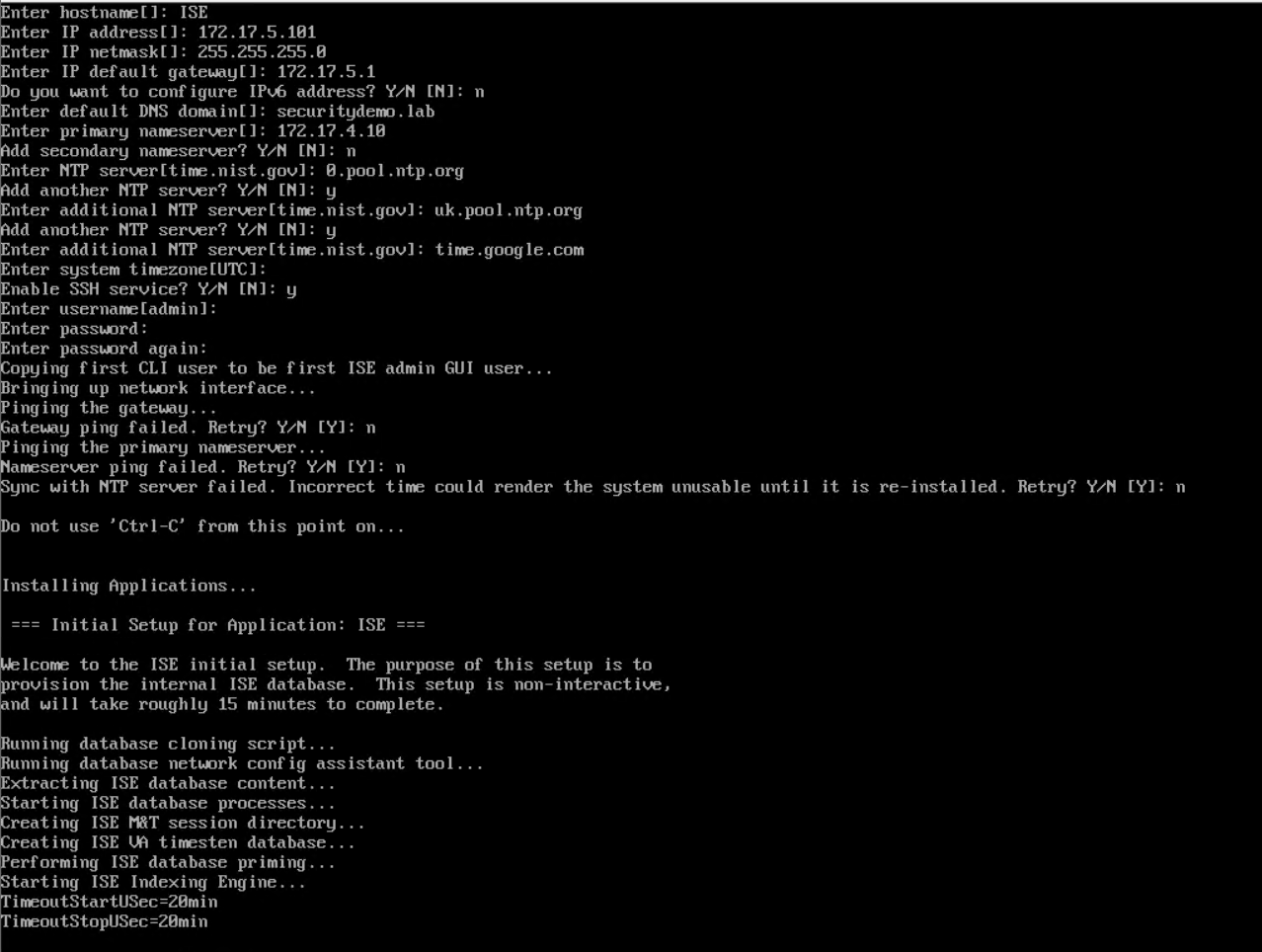
This is my new device in GNS3. It is ready to have basic configuration applied before I can paste into the running config from the old appliance.
Restore Configuration
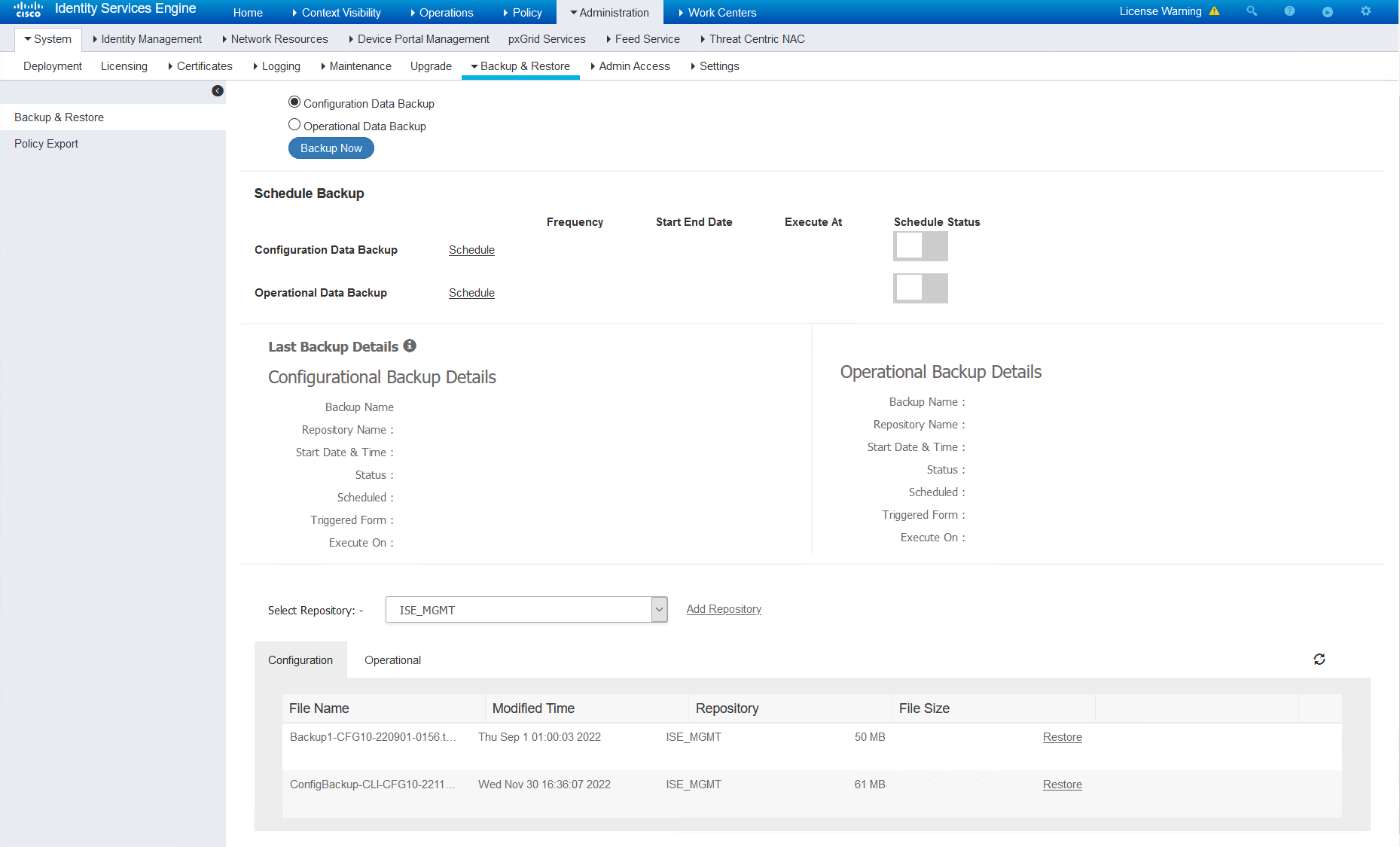
The backup is stored on the FTP server. Once the FTP repo has been created and checked, the GUI will be able to show the backed up files.
Select the file to restore, it will ask for the encryption key that was applied when the backup was taken. There is a tick box for restoring the ADE-OS which is the CLI part of ISE. I have chosen to restore this despite the fact I have already applied the config the old-fashioned copy/paste way.
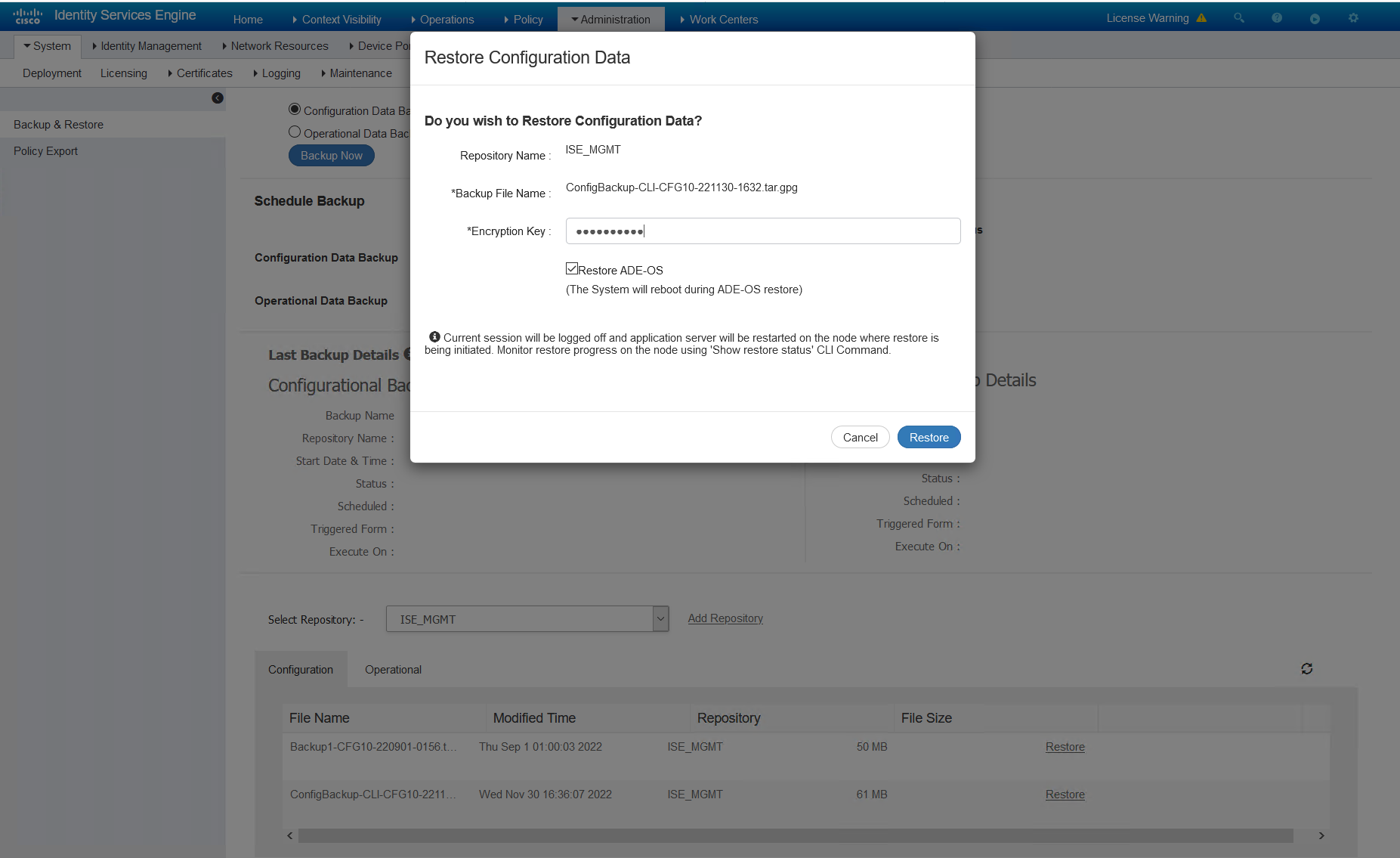
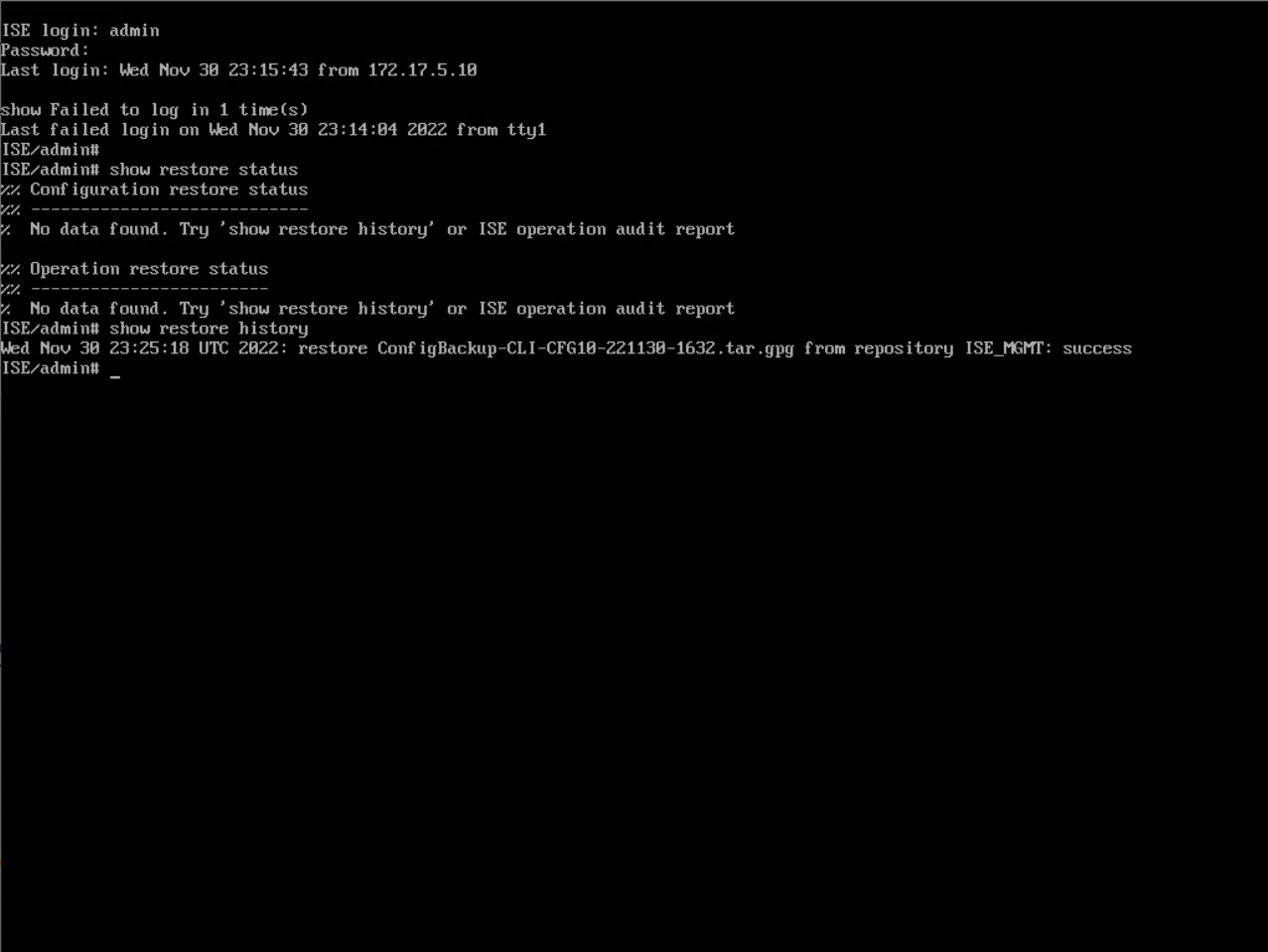
The restore took about 20 minutes for me. But I have seen larger take a lot longer. Once the restore has completed, that’s it done. If the operational data is required, this can be restored now. I have not bothered as it is a lab.
To check the status of the restore, we can console or SSH into the device and run the command…
show restore status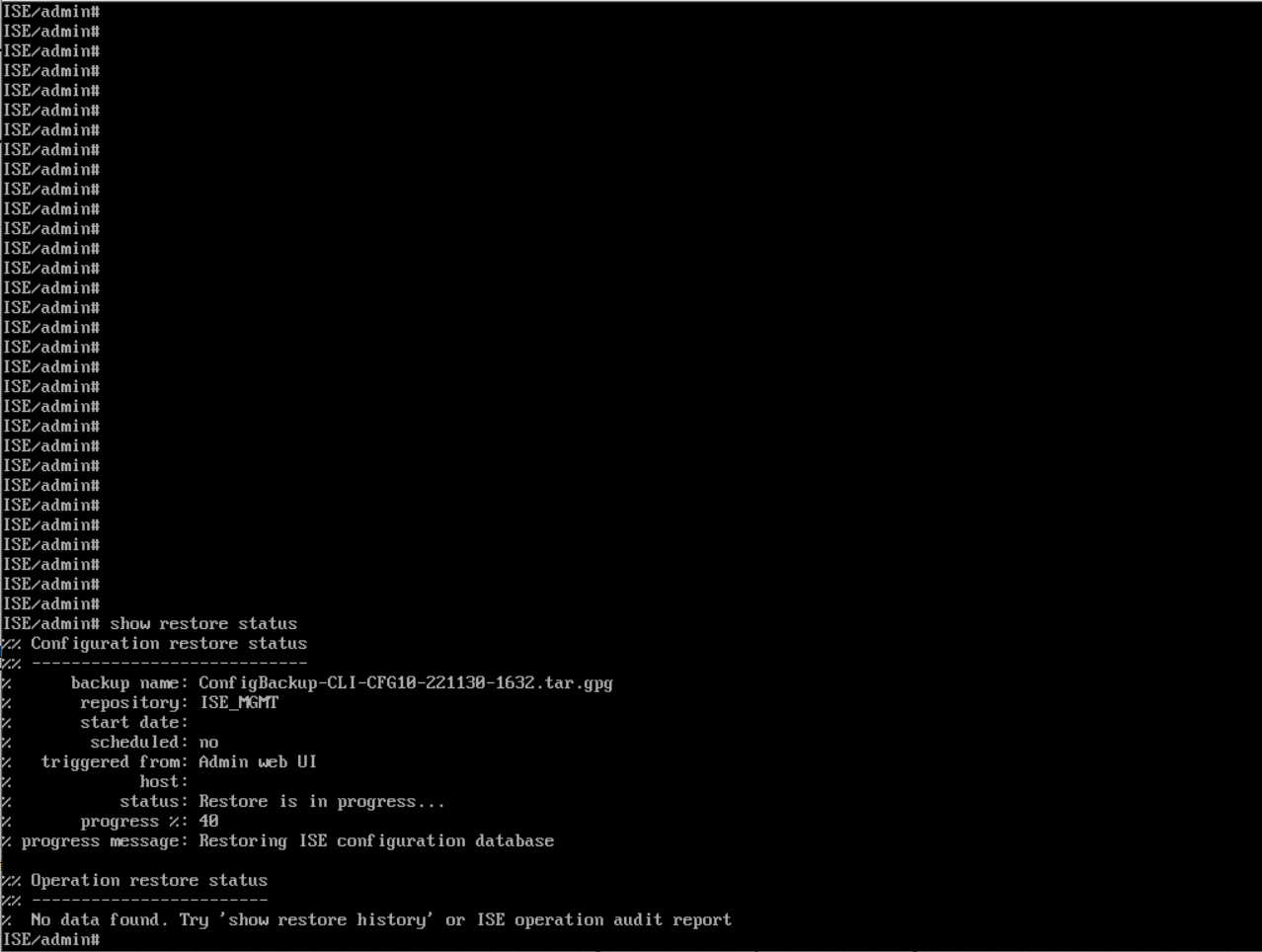
Rejoin AD
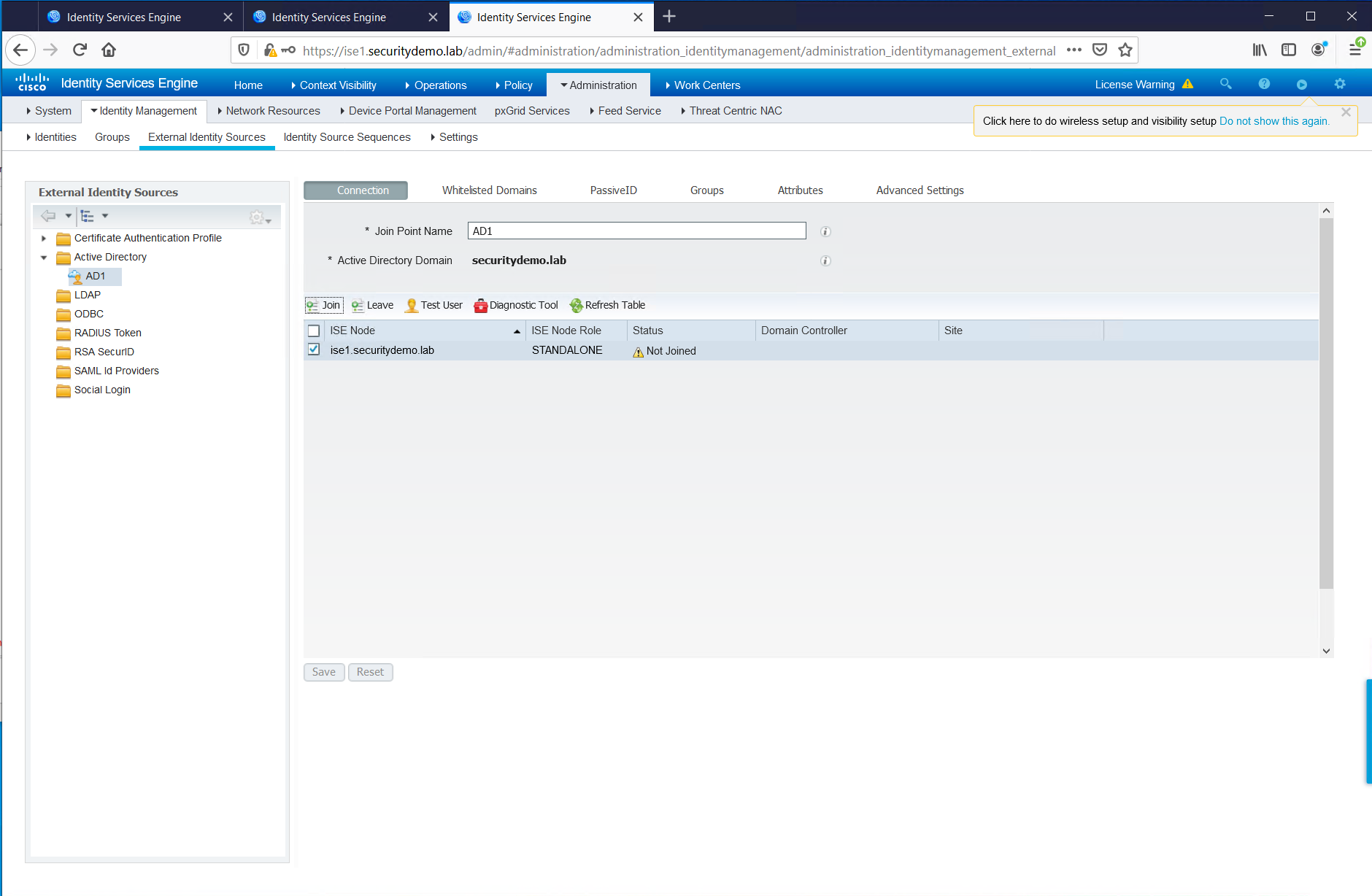
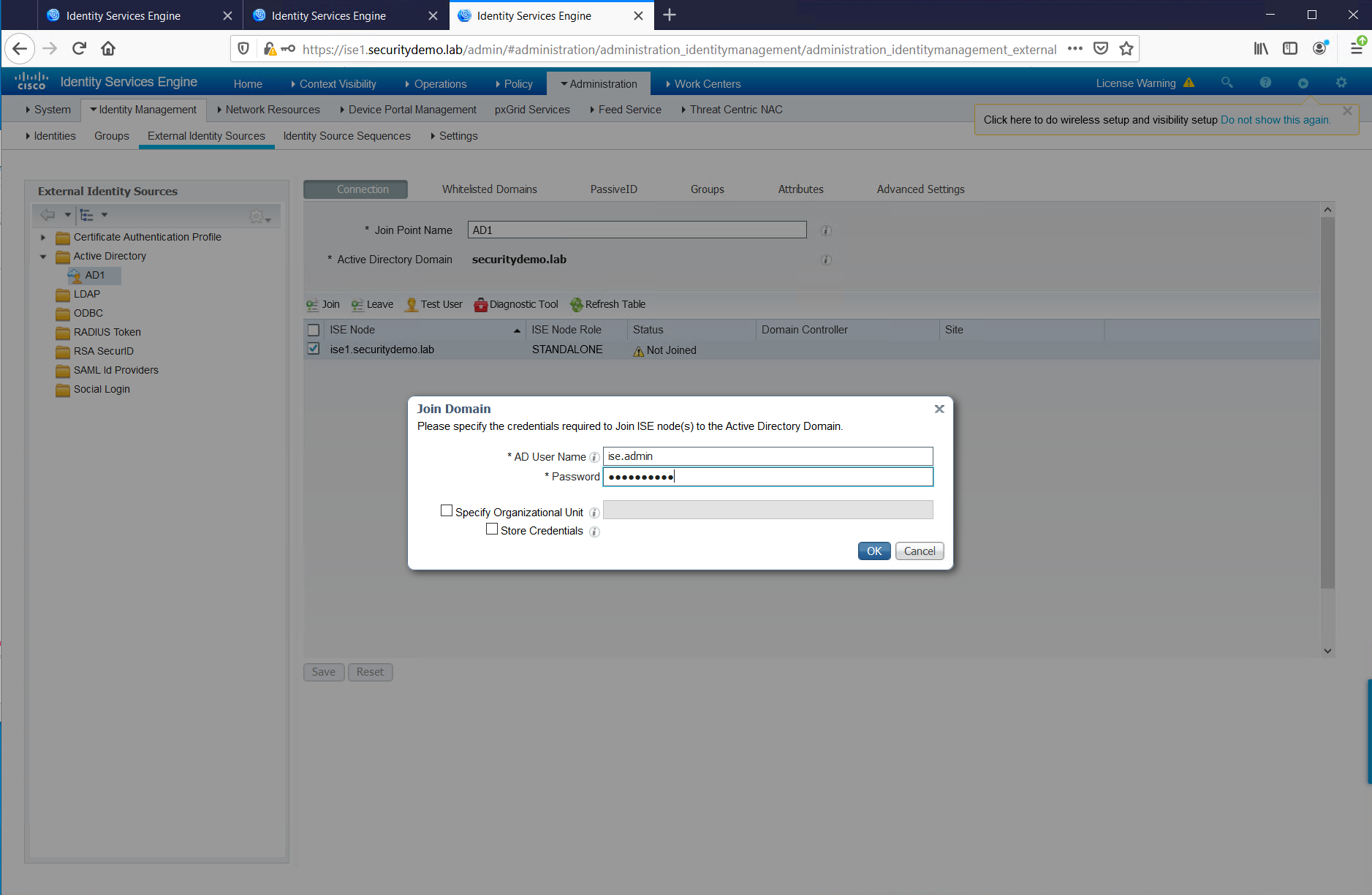
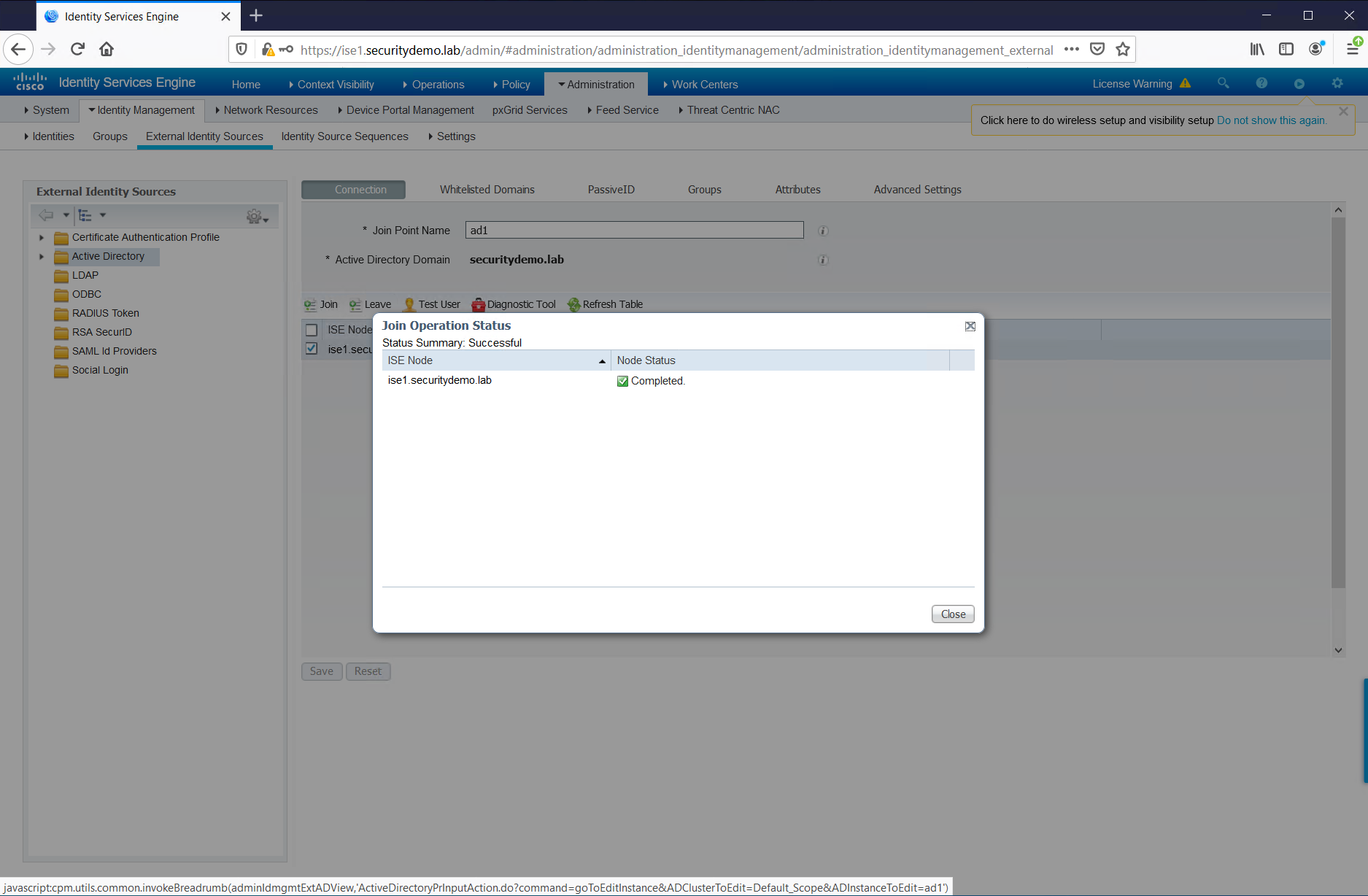
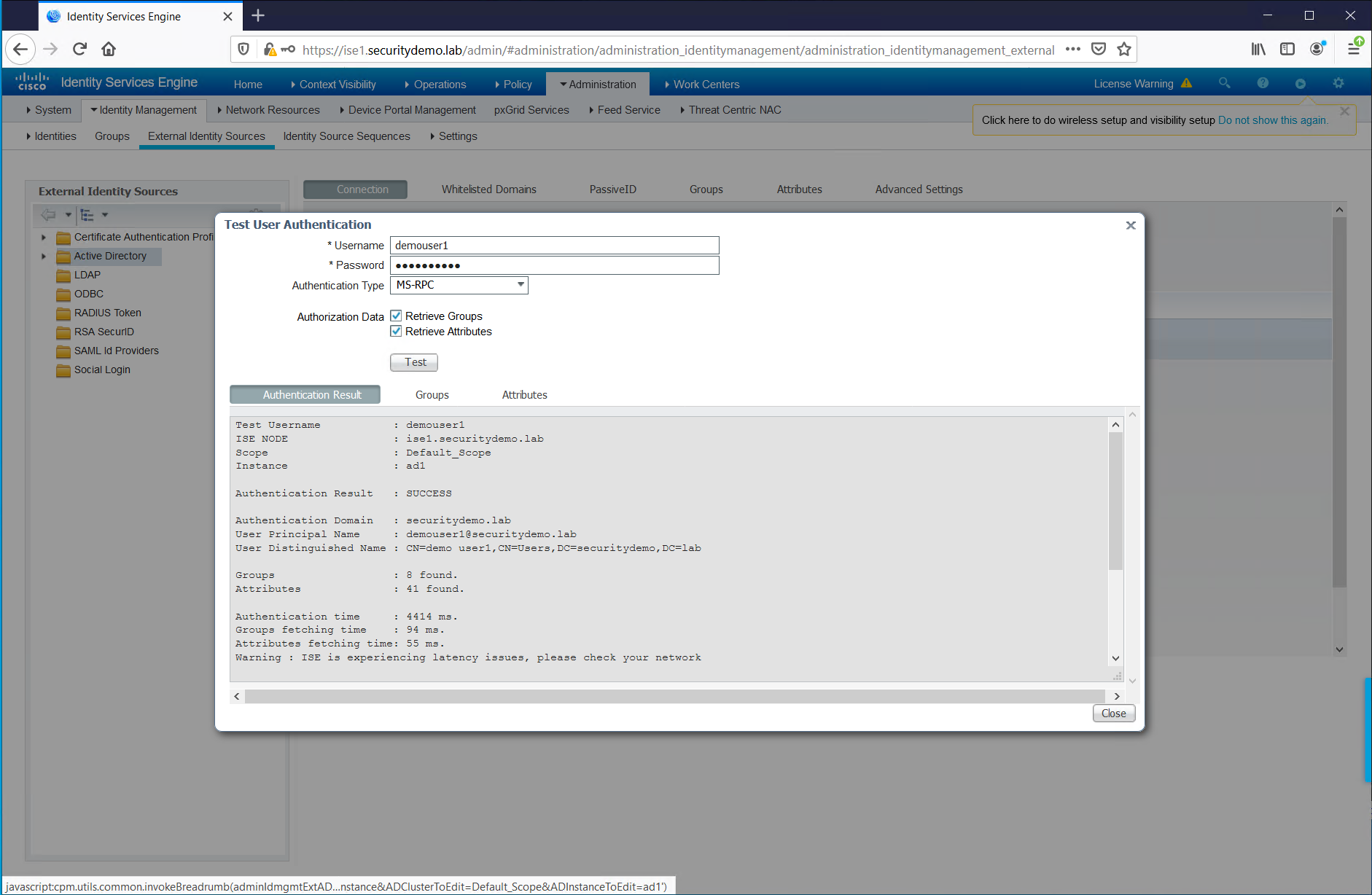
Now that the configuration has been restored. ISE will need to rejoin AD. For this, the credentials are required for the ISE account in AD. This is needed so ISE can successfully query AD. I have used an administrator account, which is not recommended, but easy for a lab environment.
For this in my lab I had the wrong hostname for the ISE instance. ISE cannot join AD with the incorrect hostname. I have corrected this, in the CLI. This required a restart of the services.
ISE/admin(config)# hostname ise1
% Warning:  Updating the hostname will cause any certificate using the old
%           hostname to become invalid. Therefore, a new self-signed
%           certificate using the new hostname will be generated now for
%           use with HTTPs/EAP.  If CA-signed certs were used on this node,
%           please import them with the correct hostname. In addition, if
%           this ise node will be joining a new Active Directory domain,
%           please leave your current Active Directory domain before
%           proceeding. If this ise node is already joined to
%           an Active Directory domain, then it is strongly advised
%           to rejoin all currently joined join-points in order to
%           avoid possible mismatch between current and previous
%           hostname and joined machine account name.

% Changing the hostname will cause ise services to restart
Continue with hostname change?  Y/N [N]: y


Stopping ISE Monitoring & Troubleshooting Log Processor...
PassiveID WMI Service is disabled
PassiveID Syslog Service is disabled
PassiveID API Service is disabled
PassiveID Agent Service is disabled
PassiveID Endpoint Service is disabled
PassiveID SPAN Service is disabled
ISE pxGrid processes are disabled
Stopping ISE Application Server...
Stopping ISE Certificate Authority Service...
Stopping ISE EST Service...
ISE Sxp Engine Service is disabled
Stopping TC-NAC Service ...
VA Service is not running
ISE VA Database is not running
Error: No such container: wifisetup-container
wifisetup-container is not running
Segmentation Policy Service is disabled
Stopping ISE Messaging Service...
Stopping docker daemon...
Stopping ISE Profiler Database...
Stopping ISE Indexing Engine...
Stopping ISE Monitoring & Troubleshooting Session Database...
Stopping ISE AD Connector...
Stopping ISE Database processes...
ISE Database processes already running, PID: 7607
Starting docker daemon ...
Starting ISE Messaging Service...
Service 'stunnel' -- doesn't exist
Starting ISE Monitoring & Troubleshooting Session Database...
Starting ISE Profiler Database...
Starting ISE Application Server...
Starting ISE Monitoring & Troubleshooting Log Processor...
Starting ISE Indexing Engine...

WifiSetup is disabled.....
Starting ISE Certificate Authority Service...
NSS database for CA Service is ready
Starting ISE AD Connector...
Starting ISE EST Service...
Note: ISE Processes are initializing. Use 'show application status ise'
      CLI to verify all processes are in running state.
ise1/admin(config)# exit
ise1/admin# show application status ise

ISE PROCESS NAME                       STATE            PROCESS ID
--------------------------------------------------------------------
Database Listener                      running          7607
Database Server                        running          72 PROCESSES
Application Server                     running          18878
Profiler Database                      running          16695
ISE Indexing Engine                    running          21874
AD Connector                           running          23409
M&T Session Database                   running          16480
M&T Log Processor                      running          19076
Certificate Authority Service          running          23176
EST Service                            running          23661
SXP Engine Service                     disabled
Docker Daemon                          running          12897
TC-NAC Service                         disabled

Wifi Setup Helper Container            disabled
pxGrid Infrastructure Service          disabled
pxGrid Publisher Subscriber Service    disabled
pxGrid Connection Manager              disabled
pxGrid Controller                      disabled
PassiveID WMI Service                  disabled
PassiveID Syslog Service               disabled
PassiveID API Service                  disabled
PassiveID Agent Service                disabled
PassiveID Endpoint Service             disabled
PassiveID SPAN Service                 disabled
DHCP Server (dhcpd)                    disabled
DNS Server (named)                     disabled
ISE Messaging Service                  running          13447
Segmentation Policy Service            disabled
SSE Connector                          disabled

ise1/admin#
Service 'stunnel' -- doesn't exist
Starting ISE Monitoring & Troubleshooting Session Database...
Starting ISE Profiler Database...
Starting ISE Application Server...
Starting ISE Monitoring & Troubleshooting Log Processor...
Starting ISE Indexing Engine...

WifiSetup is disabled.....
Starting ISE Certificate Authority Service...
NSS database for CA Service is ready
Starting ISE AD Connector...
Starting ISE EST Service...
Note: ISE Processes are initializing. Use 'show application status ise'
      CLI to verify all processes are in running state.